

Master the Artistry of
Color Correction
Learn from world famous colorist Natasha Leonnet! With over 170+ feature, streaming, commercial and music-video credits, she designed 24+ hours of intensive lectures created to master the art of color grading and Resolve.

Master color correction with 130+ classes of immersive, expert-led training by Ms Leonnet.
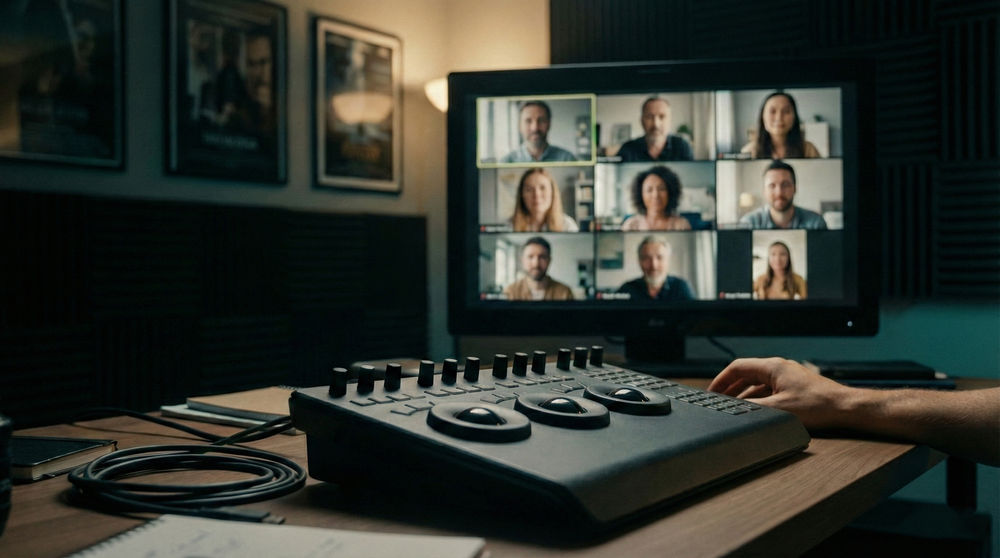
Engage with Ms Leonnet and fellow students during live group calls.
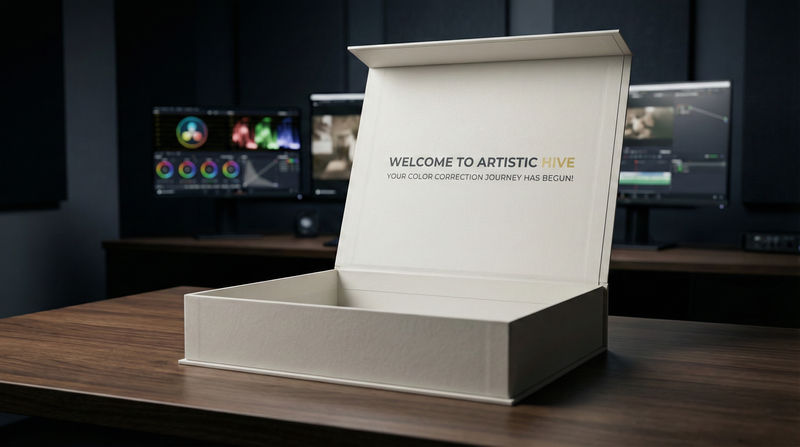
Receive a physical box containing a custom study book and much more!
Join a community of students to collaborate and learn from each other.
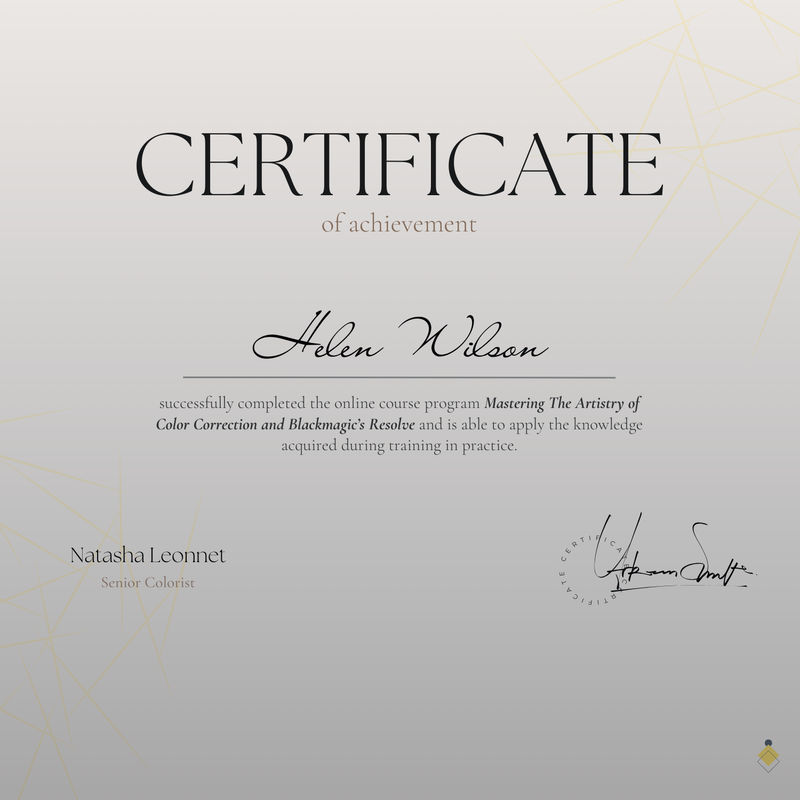
Obtain an official certificate of course completion.

Senior ColoristNatasha Leonnet
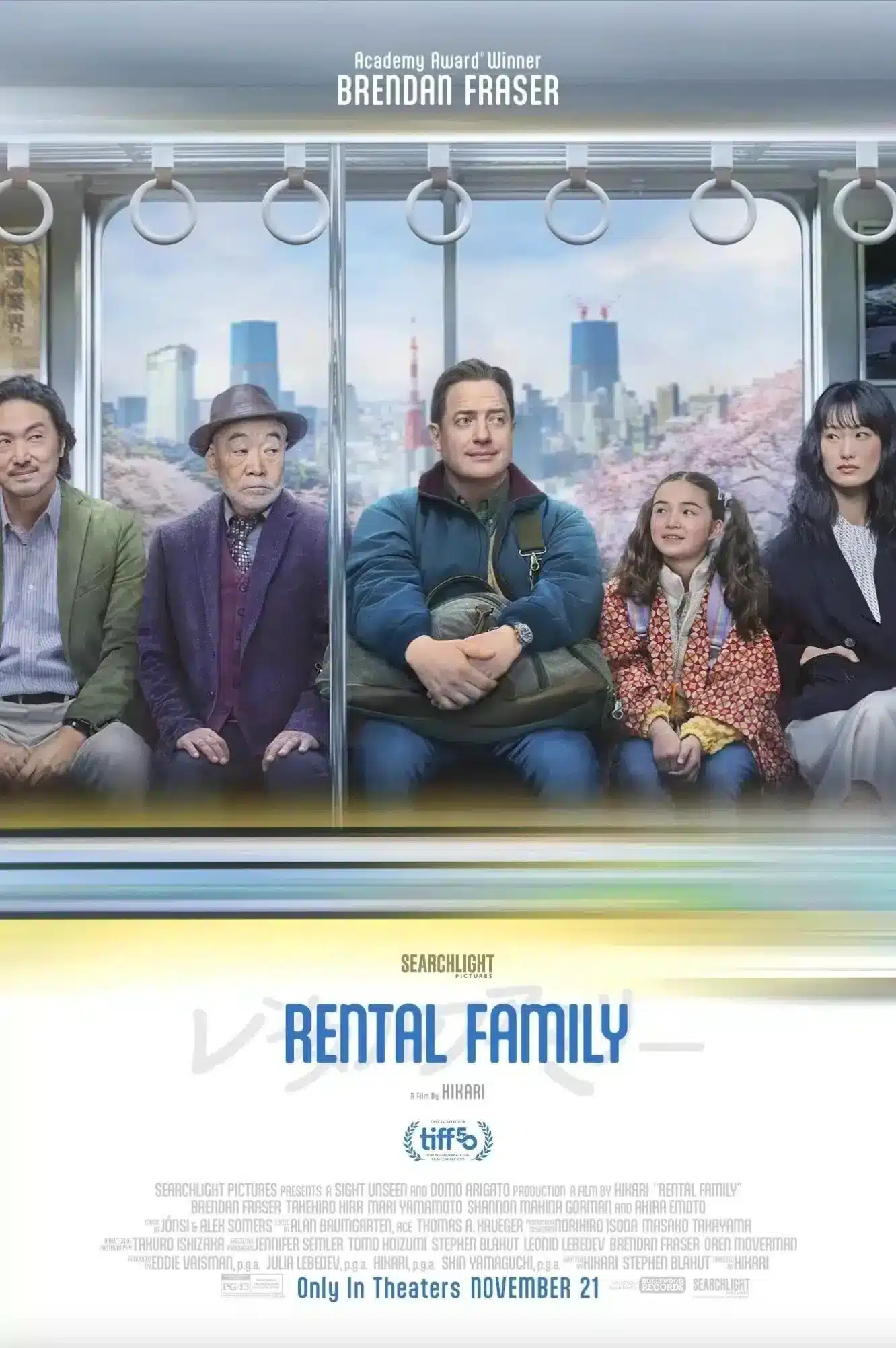
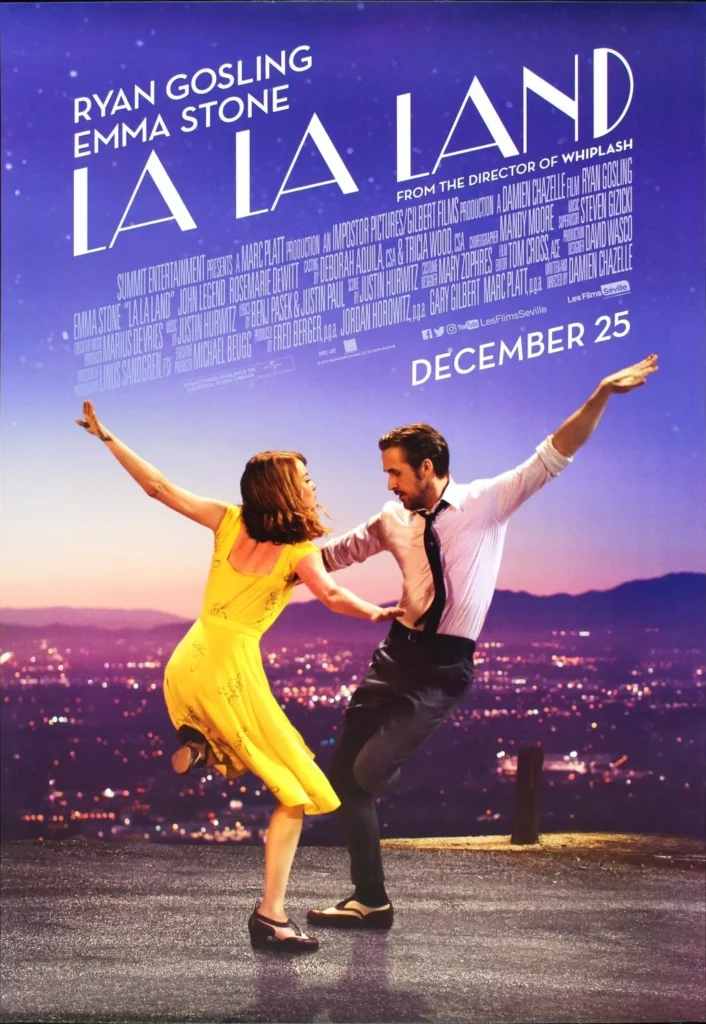
Natasha Leonnet has over twenty years of experience, more than 170 feature, streaming, commercial and music video credits, and has worked with many of the industry’s most acclaimed filmmakers on films such as La La Land, K‑Pop Demon Hunters and Hidden Figures. She won the HPA Outstanding Color Grading Award for both Spider‑Man: Into the Spider‑Verse and Spider‑Man: Across the Spider‑Verse, with ten further nominations. She is a member of the Academy of Motion Picture Arts & Sciences and an associate member of the American Society of Cinematographers.
Across 24+ hours of intensive lectures, Ms Leonnet dives into her craft and explores the artistry of the grade, crucial DaVinci Resolve toolsets and creative workflows. No previous knowledge is required.

CinematographerNatalie Kingston, ASC
Natalie Kingston is an award-winning director of photography whose recent work on the triple Golden Globe-nominated and four-time Emmy-nominated Apple TV+ crime drama, Black Bird, earned her an Emmy for Outstanding Cinematography For A Limited or Anthology Series or Movie.
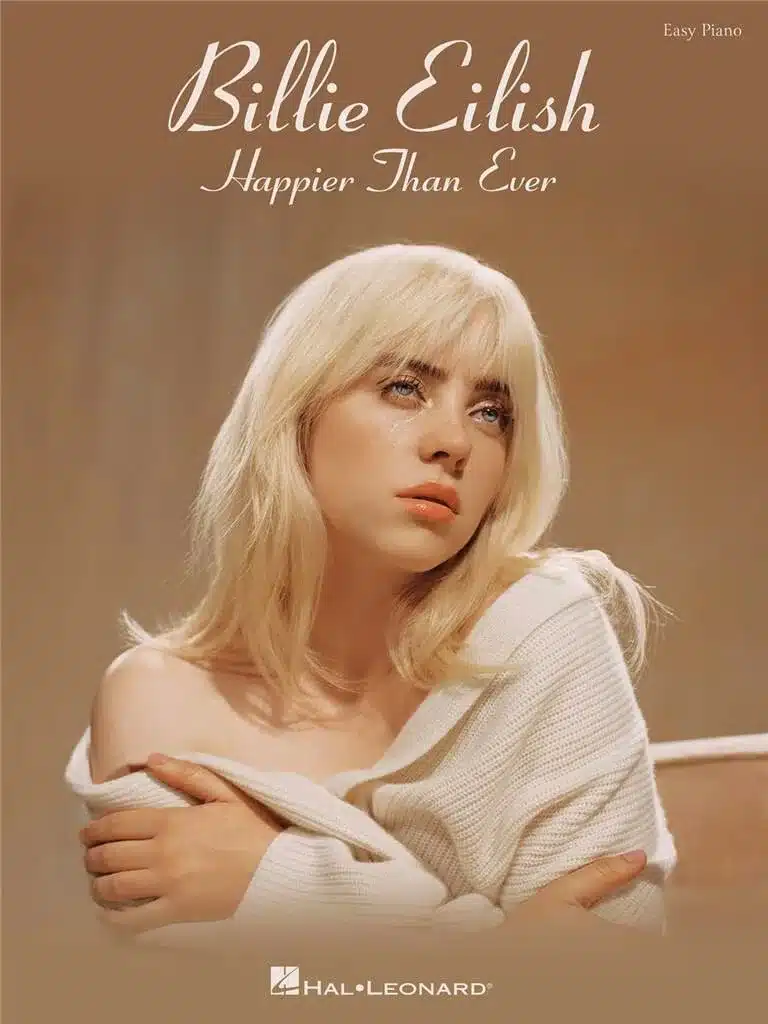
Outside of film, Kingston also lenses music videos. In 2021 she shot “Break” for Julia Stone ft. St. Vincent, which premiered at SXSW the same year. Similarly, she collaborated with Billie Eilish on the “You Should See Me In A Crown” live performance and a music video for “Bitches Broken Hearts.”
Credits & Highlights














Mastering the Artistry of Color Correction
Build a Solid Foundation With Primary Color Correction
Learn to use printer lights and linear primaries to build a beautiful basis for every grade which ensures consistency and balance across all shots.
Seamlessly Navigate DaVinci Resolve’s End-to-End Workflow
Build a solid workflow to set up databases, manage media, and configure your color management for sophisticated grade project workflows.
Craft Beautiful Digital Lighting With Precision
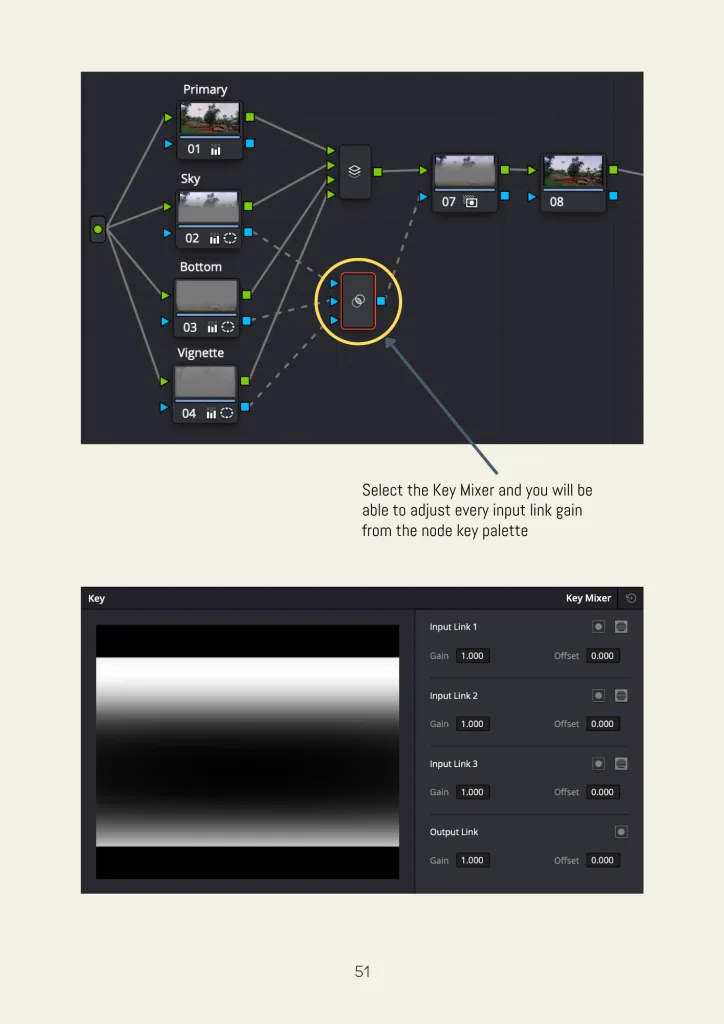
Enhance the depth and atmosphere of your images with the Key Mixer and windows to mimic on-set lighting and elevate your visual storytelling.
Grade With Precision Using Industry Standard Scopes
Confidently analyze and refine your grades using the Parade, Waveform, Vectorscope, and Histogram for flawless color consistency.
Build Advanced, Non-Destructive Node Trees
Master complex grading with the use of serial, parallel, layer, and key mixer to achieve complete creative control.
Prepare Platform-Ready Deliverables
Gain a clear understanding of rendering workflows and QC processes for deliveries across theatrical, streaming, and broadcast formats.
The Course Breakdown
- An Introduction to the Art of Color Grading - One of the Most Important Tools in Visual Storytelling
- Writing with Color - a Color Diary and a Beginning Study of Color
- A Case Study in Creating the Impression of Contrast Through Color: the Films of Wes Anderson
- An Introduction to the GUI, the Palettes and an Overview of Each Menu
- Michel Pastoureau's Writings on Color and Your Color Diary - A Case Study of Blue
- A Re-Introduction to Blackmagic's Resolve and its Interface
- How to Create a Database
- How to Setup a New Project
- How to Navigate System Settings
- How to Navigate User Settings
- How to Import Media into Your Project and Create a Timeline: XML, EDL, etc..
- How to Navigate Colour Management and Look Up Tables (LUTS) for Absolute Beginners
- How to Set Up a VI Layout Which Reflects Your Needs
- How to Load One Serial Node and How to Use Pre and Post-Group, Clip and Timeline Grading
- How to Use the Gallery
- How to Create Multiple Versions
- How to Save Your Project
- An Overview of Aspect Ratios and Setting Up Your Timeline Aspect Ratio
- A Case Study of Mixed Aspect Ratios and Resolutions: Lucy in the Sky
- The Input Resolutions Vs the Output Resolution
- Your Color Diary - A Case Study of Red
- Why Is Your Primary Color Correction the Key to a Successful Grade?
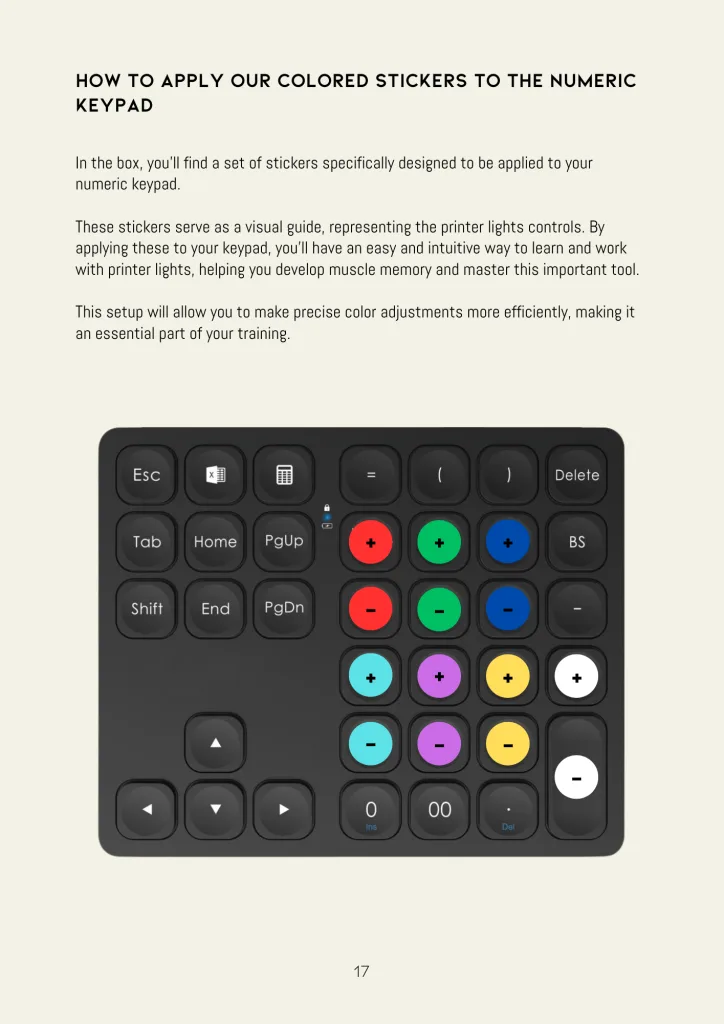
- How to Program Your Numeric Keypad For Printer Lights
- Resolve's Art of Printer Lights
- A Case Study of Printer Lights - The Assassination of Jesse James by the Coward Robert Ford
- An Efficient Use of Resolve's Linear Primaries
- A Case Study of Linear Primaries --Transformers
- A Powerful and Complex Combination: Resolve's Printer Lights and Primaries in Tandem
- How to Mitigate Skin Tones and Overall Saturation Using Your Simple Primaries
- The Great Lie of the Vectorscope - the Skin Tone Indicator Line
- Your Color Diary - A Case Study in White
- How to Read Your Scopes in Parade Mode
- How to Read Your Scopes in Waveform Mode
- How to Read Your Scopes in Vectorscope Mode
- How to Read Your Histogram
- The Importance of Using Scopes in Achieving Seamless Visual Continuity
- A Definition of the CIE Chromaticity Scopes
- A Case Study of Contrast - Looking at Examples of the Work of Four Fine Art Photographers Through Your Histogram - Robert Capa, Ansel Adams, Harry Callahan and Cindy Sherman
- The GUI Differences Between the Primaries - Color Wheels, Primaries, Color Bars and the Primaries' Log Wheels
- The Beauty and Precision of Painting Your High and low lights with Resolve's Log and Range Controls
- An Explanation of the Highlight and Shadow Controls
- Midtone Detail - a Cinematographer's and Actor's Best Friend
- An Explanation of the Saturation Control and How Saturation Can Become a Tool to Emphasize the Tone of the Story
- An Explanation of the Color Boost Control vs the Saturation Control
- An Explanation of the Hue Control
- An Explanation of Contrast and Pivot
- An Explanation of Temperature and Tint
- An Explanation of the Luminance Mix Control
- To Auto Balance or Not to Auto Balance?
- If You Auto Balance, Should You White Balance? A Further Explanation of Temperature and Tint!
- An Explanation of the Image Wipe Controls Including Reference Sizing
- The Difference Between Monitoring Continuity For Commercials and All Other Genres Including Features, Episodic and Music Videos
- A Brief Discussion of Josef Albers' Book "Interaction of Color" and Its Implications of Understanding the Challenge of Achieving Perfect Continuity
- A Quick Exploration of the "Interaction of Color" App and How It Can Help Our Understanding of the Relationships Between Colors and Our Perception of Continuity
- Your Color Diary: A Case Study of Skies
- Our Interview with Cinematographer Emmy Award Winning Natalie Kingston
- The Wisdom of the Grey Card and the Color Chart
- Leading with Grey: Color Correcting the Test Charts
- Natasha's Favorite Node Trees, Serial and Parallel Nodes and an Introduction to Non-Destructive and Destructive Color Grading
- The First Node Menu
- The Second Node Menu
- The Third Node Menu
- Pre-Group, Clip, Post-Group and Timeline Grading Scenarios
- Your Color Diary: A Case Study of Green
- The Whys and Whens of Custom Curves
- Natasha's Favorite Curve Menu: Hue vs Hue & the Hue vs Sat and Hue vs Lum Menus
- Luminance vs Sat
- Sat vs Sat
- Sat vs Luminance
- One Approach to Underwater Skin Tones
- Your Color Diary - A Case Study of Yellow
- Creating Linear, Circle, Polygon, Curve, Gradient and Outside Shapes Part 1
- Creating Linear, Circle, Polygon, Curve, Gradient and Outside Shapes Part II
- A Dive into the Invisible - the Transform and the Softness Menus
- Invoking the Cinematographer's Eye with Windows
- Your Color Diary - A Case Study of Black
- A Grading Prelude to Tracking and Keyframing
- Mastering Auto-Tracking
- Advanced Hacks For Auto-Tracking
- Mastering the Craft of Manual Keyframing
- Natasha's Favorite Qualifier - the 3D Qualifier
- Exploring the HSL Legacy Qualifier
- Exploring the RGB Legacy Qualifier
- Exploring the LUM Legacy Qualifier
- Your Color Diary - A Case Study of the "Half Color" - Grey
- Hierarchical Grades with Layer Nodes
- A Brief Explanation of the Node Keyer
- A Beginner's Guide to (the Almost) Hierarchical Nodes of the Key Mixer
- Decluttering with Compound Nodes
- Decluttering with the Clips Button
- Organizing Using Clip Selects
- Your Color Diary - A Case Study of a "Half Color" Pink
- Natasha's Instant Flagging Rigs
- The Moon and the Sun - Natasha's Instant Lighting Rigs
- The Colorist and the Cinematographer in Symphony - Two Different Approaches to Node Trees
- Your Color Diary: A Case Study of a "Half Color" - Brown
- An Easy Plunge into the Blur, Sharpen and Mist Controls
- Suggested Uses for Resolve's Blur
- Suggested Uses for Resolve's Sharpening
- Play Mist For Me - The Mist Control
- A Misaligned Blur: Using Resolve's Blur as a Creative Tool
- Your Color Diary - A Case Study of a "Half Color" - Orange
- The Difference in Framing Terminology Between the Set & the Color Bay
- An Explanation of Edit Sizing
- An Explanation of Input Sizing
- An Explanation of Output Sizing
- An Explanation of Blanking Controls
- An Explanation of Node Sizing
- Defying the Impossibility of Perfection with the Key Lock Function
- A Re-Visit of Reference Sizing
- Your Color Diary: A Case Study of a "Half Color" - Purple
- Your Color Diary: Translating Your Digital Diary Into Watercolors
- A Dive into Resolve's Camera Raw Menu
- A Further Understanding of the Debayering Process
- The Crucial Importance of the DIT
- Natasha's LUT Philosophy 101 - The Impact of Your Chosen LUT on Skin Tones, Locations, Production and Costume Design - The Importance of Testing
- Colorist Self Sabotage 101 (Or How to Kill Your DPs Dreams) - The Warning Signs and Dangers of Broken LUTS
- The Different Roads to Locating your LUTS in Resolve
- Camera Default LUTS and how to import them into Resolve
- Understanding Film Emulation LUTS
- How to Create Your Own Test Patterns to Better Visually Understand LUTS
- How to use the Color Space Transform Node
- Using the CST Node for Converting LUTs to Other Delivery Spaces
- Organizing a Unified Color Space with Pre and Post Groups
- Making Your Custom LUT with Your Cinematographer
- Resolve's DaVinci YRGB Color Management System
- When checkers is not just a game - QCing Your Files
- Creating Your Color and Edit Review Files
- Creating Your Online and Streaming Files
- Your last send off - Creating your P3 DCI and XYZ Files
Highlights from the Training


Module 12: Digital Lighting
- Digital Lighting with Custom Windows: Create and manipulate linear, circular, polygon, curve, gradient, inside and outside windows that shape light and create shadows, mimicking on-set lighting.
- Blend Lighting Adjustments Seamlessly: Create invisible corrections by fine tuning window placement and edge softness, ensuring smooth transitions.
- Adapt Your Light to Varied Cinematographic Styles: Adjust window softness and contrast dynamically to match the cinematographer’s original lighting design without disrupting the inherent visual language.
- Create Targeted Lighting Effects with Layered Nodes: Combine windows with hierarchical grading to build complex lighting effects and control how each shape interacts with others for precise, scene-specific adjustments.
Module 16: Creating Your Own Lighting Package
- Mimic On-Set Lighting with the Key Mixer: Learn how to replicate complex lighting setups by blending multiple window shapes (linear, circular, polygonal, and gradient) using the Key Mixer. Create dynamic and natural lighting effects that align with the cinematographer’s creative intent.
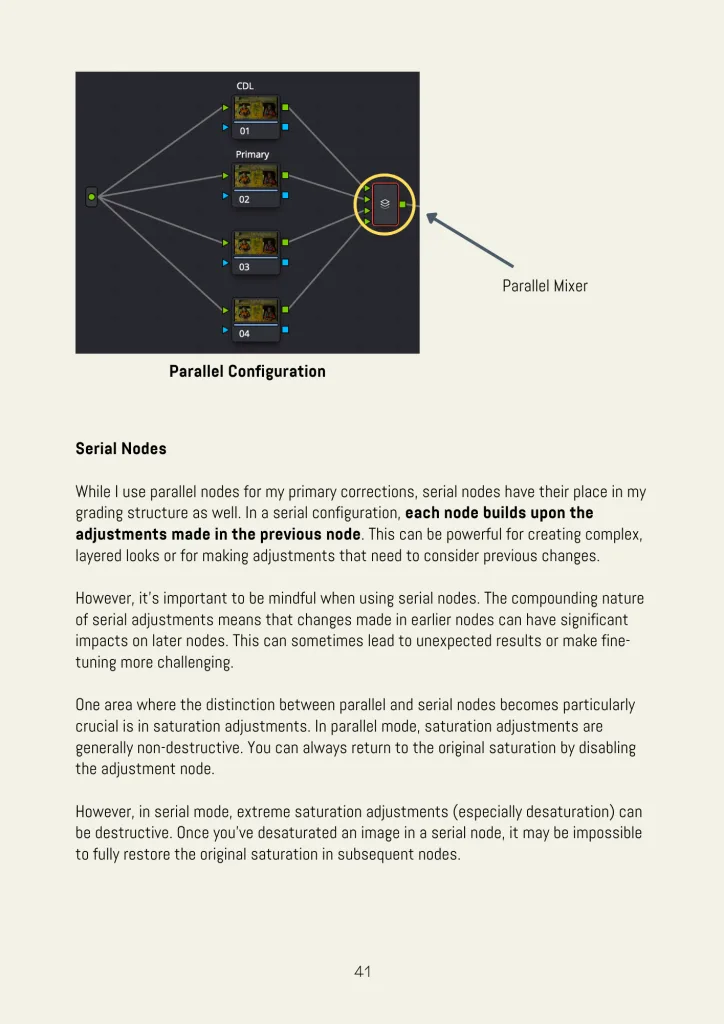
- Master Parallel vs. Serial Node Configurations for Lighting Effects: Learn Natasha’s favorite node tree, understand the critical differences between parallel and serial node structures and how each impacts the intensity, layering, and blending of your color and contrast corrections.
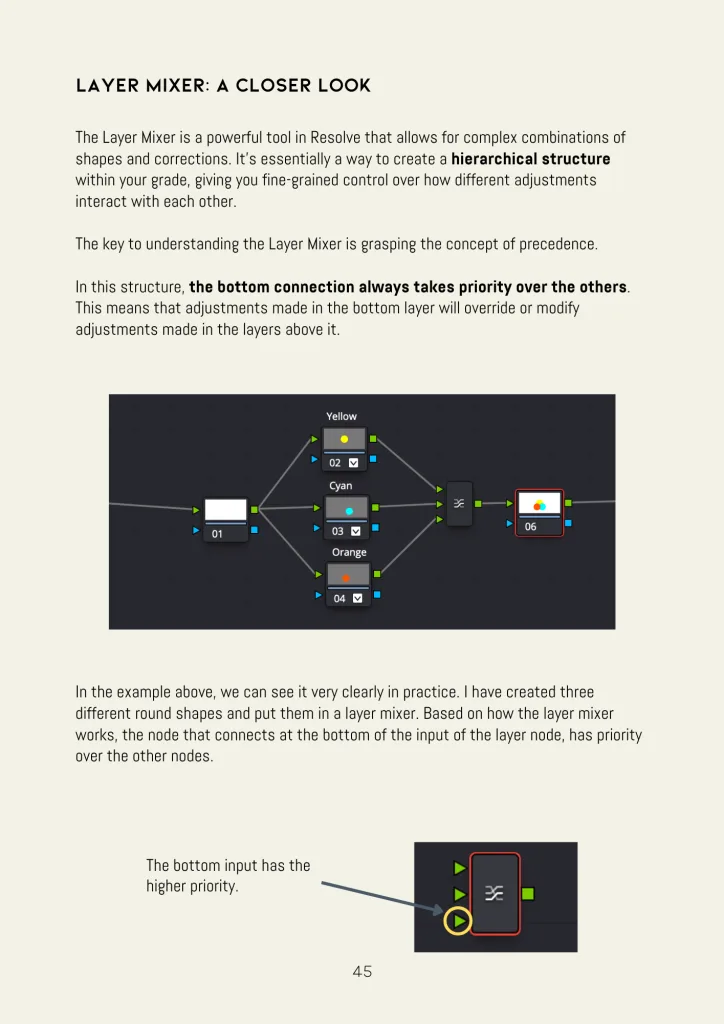
- Build Hierarchical Lighting Rigs with Layer Mixers: Design sophisticated lighting effects by combining windows and nodes in both layer and key mixers which allow for precise control over how corrections stack and interact, resulting in more natural and cinematic images.


Module 18: Reframing the Image with Sizing
- Master Sizing Tools for Reframing: Understand how to effectively use Input, Edit, Node and Output Sizing in DaVinci Resolve to adjust framing while preserving the quality of the image across different resolutions and formats.
- Create Beauty with the Key Lock Function: Eliminate visual imperfections with this secret weapon.
- Use Reframing to Enhance Visual Storytelling: Employ precise scaling, panning, and tilting to subtly shift focus and highlight key elements to help strengthen the visual narrative.
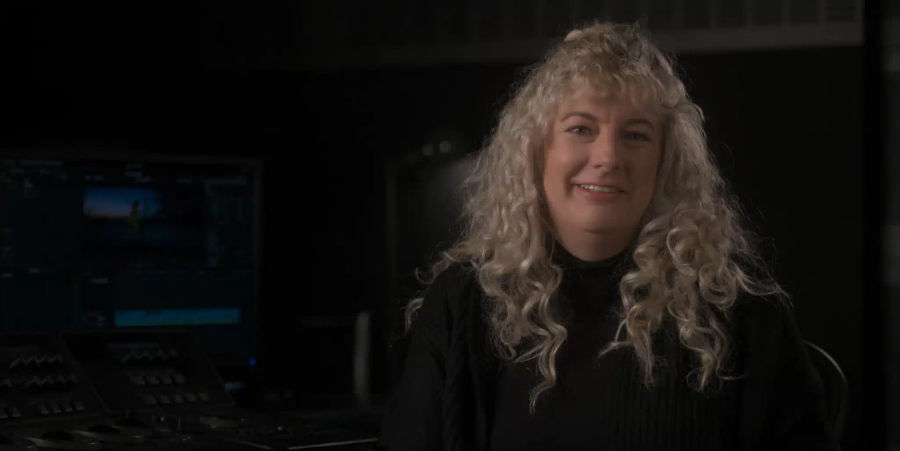
Watch Natasha’s Mini Class
Watch Mini ClassDive into the art of color grading in this immersive 4+ hour free mini class taught by Natasha Leonnet, where you’ll explore the foundational techniques that define exceptional color correction. This class reveals how mastering primary color corrections can transform your work, giving you the tools and confidence to craft images that are uniquely yours, all with a focus on practical steps and real world applications.
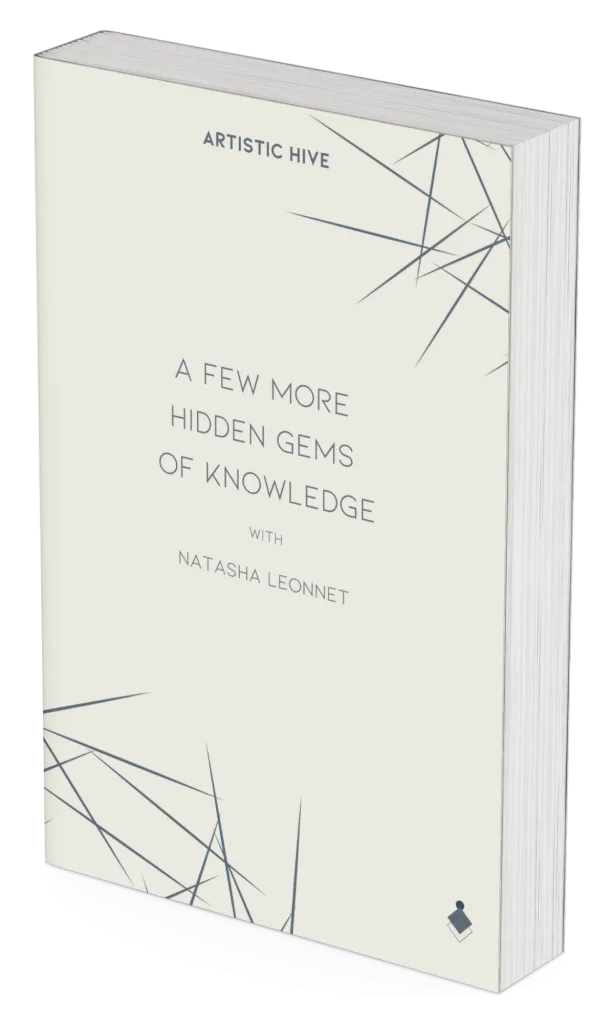
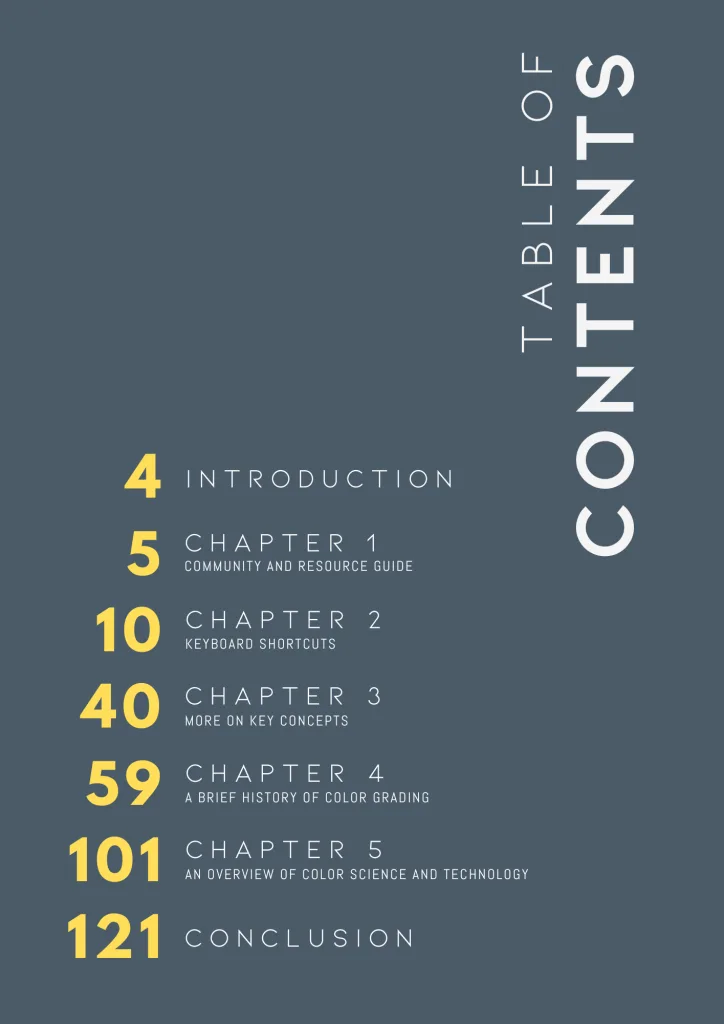
A Few More Hidden Gems of Knowledge
This physical book is your tactile, dedicated reference for mastering the most technical and artistic aspects of color correction as well as exploring its history.
What Our Students Are Saying
“Natasha teaches color grading with exceptional clarity, professionalism, and insight. Learning from a senior colorist with such an impressive portfolio makes this course especially inspiring.”
“I didn’t expect a physical box to matter this much. It comes with a study book and materials for exercises you can do away from Resolve, so learning wasn’t just sitting at the screen the whole time.”
“Resolve used to intimidate me. There’s so much on screen at once. But she moves slowly enough that a few lessons in, it stopped feeling overwhelming and started to make sense.”
“The skin tones and shot-matching lessons were worth the price on their own. My mixed-lighting footage used to look inconsistent from shot to shot. Now a whole timeline holds together as one film.”
“Grading used to be the part I dreaded, I never felt sure I was making the right calls. Now I have a process I trust, so I go in confident instead of second-guessing. It sounds small, but it changed how I work.”
“As a DP, I’ve worked with plenty of colorists who know the tools. Far fewer can explain why a choice works, and that’s what Natasha does throughout. I kept rewinding to catch everything.”
“Printer lights were the biggest surprise for me. I never used them before this, and now they’re part of my workflow. The keyboard and stickers that came in the box really helped with the learning curve, too.”
“I’m a student, so I expected to be lost half the time. I wasn’t. She shares the things most professionals keep to themselves, and still keeps the technical parts easy to follow. I came away with a real foundation, not just a list of steps to copy.”
“What’s stayed with me is how Natasha ties color to emotion. I also loved the classes taught by the cinematographer Natalie Kingston, where she talks about working with Natasha and the decisions behind the look she created for Black Bird. Hearing a cinematographer and a colorist talk through how they actually work together was a highlight for me.”
Join Us on Skool
- 4+ hours of in-depth classes with Natasha
- Downloadable follow-along footage
- XML timeline files
- PDF setup guide
- Community access
- No experience required
- BONUS ACCESS to Module 5 from the full training
No credit card required
- 24+ hours of classes
- Live group calls with Natasha
- Private community
- The physical study book
- Downloadable exercise files
- Certificate of completion
- Email & community support
- No experience required
Cancel anytime
Frequently Asked Questions
No experience needed. The training works whether you are a working colorist sharpening your craft, a DP taking your first steps into color correction or an editor. All you need is DaVinci Resolve (the free version is enough) and a willingness to learn. The early modules will build your foundation from the ground up.
To follow along with Ms Leonnet, you will need the free version of DaVinci Resolve.
Membership gives you 24+ hours of classes across 22 modules, the physical study book, downloadable exercise files, live group calls with Natasha, the private community and a certificate of completion.
You will have access for as long as you’re a member of the community. If you cancel, you will be able to access the Skool group through the end of your current billing period.
The membership is monthly. You are billed once a month and can cancel whenever you like.
Absolutely! They are based on Natasha’s availability.
Yes. Members join a private community where they can post their work, give and get feedback and ask questions any time. You can also reach us by email.
Yes! You earn a certificate of completion once you finish the training.
Yes. There is no contract and therefore you are not locked in.