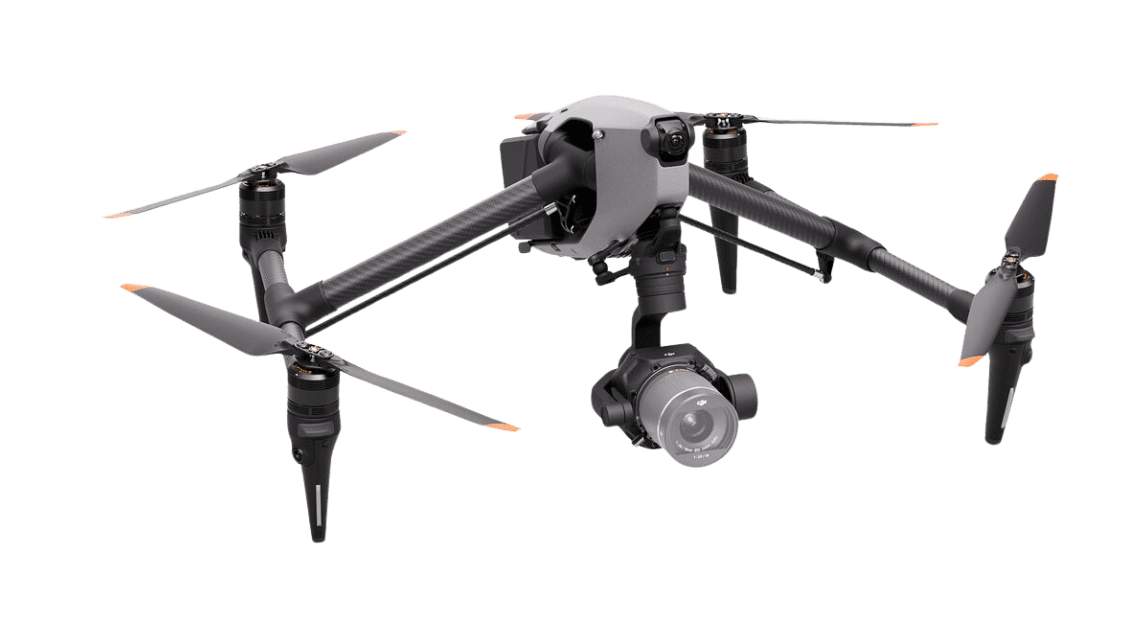
The DJI Inspire 3 is a crew-oriented aerial cinema system, not simply a longer-range consumer drone. Its value depends on whether a production needs the X9-8K Air camera, approved interchangeable lenses, coordinated pilot/camera operation and a post-production workflow that can handle the selected recording format.
The system, correctly identified
| Component | Documented configuration |
|---|---|
| Camera | Zenmuse X9-8K Air, full-frame; not the Ronin 4D camera unit. |
| Lenses | DJI’s supported list includes DL 18mm f/2.8, 24mm f/2.8, 35mm f/2.8, 50mm f/2.8 and 75mm f/1.8. It is not an open invitation to mount Canon/Nikon lenses. |
| Battery | Two TB51 batteries in flight, not TB60. |
| Controller and app | DJI RC Plus with 7-inch screen; DJI Pilot 2 for Inspire. |
| Media | DJI PROSSD 1TB. Media handling occurs on the ground, not by swapping SSDs in flight. |
| RAW recording | CinemaDNG and Apple ProRes RAW require the relevant RAW license; resolution/frame-rate combinations differ by codec. |

Firmware and lens support, checked October 30, 2026
The official download center links release notes dated August 4, 2026. That release lists aircraft v01.00.09.00, RC Plus v05.04.10.00, X9-8K Air v01.00.27.47, battery v04.01.00.65, charging hub v05.02.13.46 and Pilot 2 v5.7.0. Pilot 2 updates with the controller firmware.
The same DJI release-history PDF records support for the Viltrox AF 90mm F3.5 Air DL lens in the July 30, 2025 release. That named addition extends the DJI-branded lens examples above; it does not establish support for other DL lenses or adapters. Check every component’s installed version and the exact lens before a shoot.
Use DJI’s specification table, compatibility FAQ and RAW-license listing for the exact combination. The supported lens list can change, so check the current documentation. Firmware and lens compatibility should be verified on the actual rental or purchased kit.
Production implications
A separate pilot and camera operator can divide attention between flight and framing. That arrangement still needs rehearsed communication, an abort plan and clear responsibility for the aircraft. RTK and repeatable routes can assist repeatability, but do not guarantee that a route remains clear or that changing weather and lighting produce identical frames.

DJI’s stated maximum flight time is a controlled-condition figure, not available shooting time. Leave appropriate operational reserves and account for takeoff, travel, setup and return. Transmission distances describe test conditions and radio standards; they do not authorize a beyond-visual-line-of-sight operation.
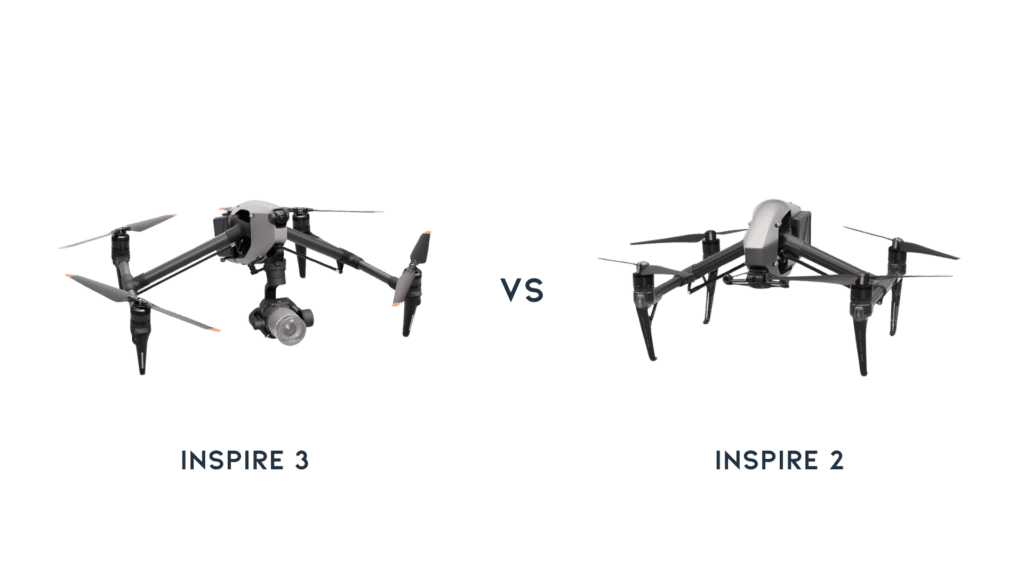
The older Inspire 2 was not universally a fixed-lens, single-controller system. An upgrade decision needs the exact existing camera, lenses, controllers and media. Do not assume that accessories transfer between generations.

Choose the lens and codec before the aircraft package
A wide establishing view and a distant, compressed-looking detail shot put different demands on the camera operator. Choose the focal length from the shot and permitted aircraft position, then confirm the exact lens, filters and balance accessories in the quote. DJI’s compatibility FAQ specifies counterweights for the DL 75mm and notes that high-mobility maneuvers can produce shaky footage with that lens. A successful wide-angle test does not validate a telephoto setup.
Agree the acquisition format with post before the shoot. CinemaDNG and ProRes RAW require the separate license, but buying it does not establish support in your chosen editing application. Obtain a representative original clip, perform the intended decode, color transform and export, and confirm the archive method. The highest resolution is useful only if the production can carry its storage and processing costs.
Plan what each operator needs to see
The pilot needs the information required to fly the aircraft; the camera operator needs framing, focus and exposure. Establish who can change camera settings and who calls a stop. Rehearse concise calls for start of take, camera ready, route change and abort before a paid flight.

The official FAQ distinguishes 1080p and 4K monitoring modes. Its 4K/30p live feed is limited to recording at 30fps or below and can reduce transmission distance. Treat this as a monitoring configuration choice rather than assuming that an 8K recording creates an 8K live feed. Check the actual view available to the director, not just the controller’s advertised screen specification.
Use route repeatability for a defined production task
A repeated route can help compare alternate takes or changing lighting, but decide what must match: aircraft path, camera angle, lens, focus, exposure and action timing. Changing one of those may make two takes unsuitable for a planned composite even if the aircraft follows a similar route.

Before repeating a saved path, reassess obstacles, people, wind and the available operating area. A stored route is a record of a plan, not proof that the conditions remain suitable. Keep the pilot’s flight decision separate from the editorial desire for one more take.
Finish each session with a usable handoff
Label the media and camera report by flight and take, make verified copies, and inspect representative full-resolution clips for focus, vibration and exposure. Keep originals until post confirms the files. Review any failed shot while the crew still remembers its lens, movement and conditions; that information is more useful than a later blanket statement that the drone footage was soft.

Budget the working system
Checked October 30, 2026: DJI’s US store showed US$16,499 for the Inspire 3 package and marked it out of stock. The listed box includes the aircraft, X9-8K Air, RC Plus, six TB51 batteries, hub and PROSSD; the lens and RAW-license requirements must be priced separately. This is a displayed package price, not a complete flight-ready quote.
| Cost line | What to obtain |
|---|---|
| Acquisition or rental | Written dated quote identifying every body, camera, lens, controller and license. |
| Operations | Pilot/camera crew, transport, permissions, insurance, batteries and power. |
| Post-production | Media copies, storage, compatible decode software and delivery tests. |
| Maintenance | Scheduled inspection/service, consumable replacement and downtime allowance. |
Illustrative budgeting only: if a hypothetical rental is $1,000, crew $1,600, travel/permissions $400 and media/backup $200, the day totals $3,200 before tax or contingency. These are example numbers, not market rates or a quote. Replace them with your own quotes.
US operating context
For a typical US commercial filming operation under Part 107, consult FAA remote-pilot guidance for certification, operating limitations and any needed authorizations or waivers. Registration and Remote ID requirements also need checking for the exact aircraft and operation. Permission from a landowner does not by itself authorize controlled-airspace flight. Other jurisdictions have different requirements.
Test the kit before a paid job
Record firmware, camera/lens, codec, resolution, frame rate, exposure, weather, crew roles and legal operating conditions. Keep original footage and an editing-project example. Assess focus, vibration, highlight handling and the complete media handoff rather than substituting a maximum-range flight for a camera test.
For smaller productions, compare the priorities in our long-range drone guide and Mini 4 Pro overview. A smaller system can be a better operational fit even if it offers fewer recording options.