Renting a theater for your own film is different from booking a private showing of a movie in the theater’s catalog. For a U.S. filmmaker, start by confirming that the venue accepts guest-supplied content, then agree the screening rights, delivery format, technical test and event terms before inviting an audience.

Choose the correct booking route
| Operator and route | What the published information supports | What needs a written quote |
|---|---|---|
| Cinemark private screenings and meetings | An independent film may be accepted if you hold the rights; a representative must screen it before booking. DCP conversion may cost extra. | Specific theater, capacity, date, rental, conversion, technical test and staffing. |
| AMC standard Private Theatre Rental | Choose a film from the available collection; occupancy and price depend on the selected theater and booking. It is private use, with no ticket resale under this offer. | Exact package, guest limit, fees and available title. Do not assume it accepts your own film. |
| AMC Event Sales | The operator advertises custom events including guest-provided content, premieres and festivals. | Approval of your film, audience, ticketing model, technical requirements and full event contract. |
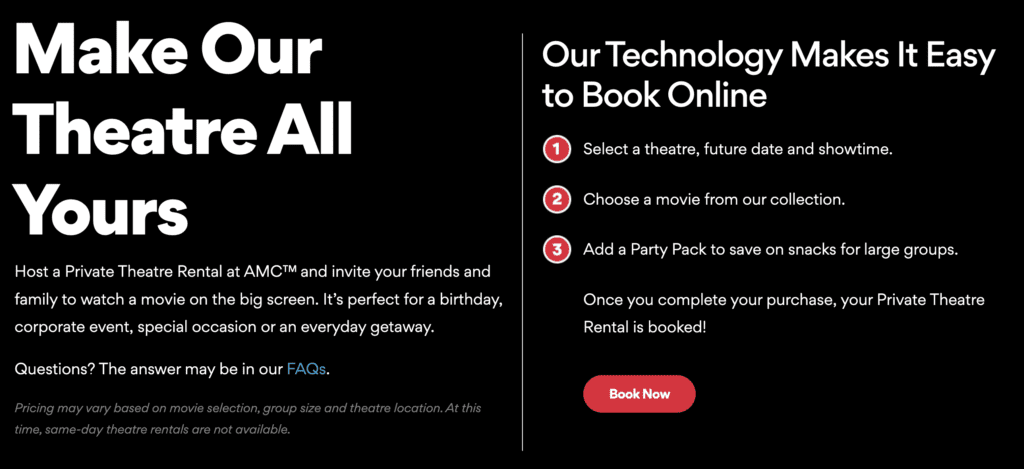
These distinctions come from Cinemark’s FAQ, AMC’s rental terms and AMC Event Sales, checked October 30, 2026. There is no universal rental price or capacity, so ask each venue for a current quote.
Ask for the complete cost
- Auditorium, date, access time, screening length and any overrun charge.
- Projectionist or technician, test screening and DCP creation or ingest fees.
- Microphones, stage access, Q&A time, captions and accessibility arrangements.
- Ticketing/registration, security, insurance, concessions and taxes or service fees.
- Deposit/payment dates, cancellation, rescheduling and any non-refundable amount.
Confirm content and screening permissions
Tell the venue whether the audience is invited, public or ticketed. Owning a copy of a film does not by itself establish permission for the planned screening. For your own production, review the relevant music, footage, performer and other agreements against the intended exhibition. Obtain appropriate professional advice where the rights are uncertain.
Cinemark’s FAQ requires rights to the requested film and prior review of independent content. AMC’s standard private-rental restrictions should not be assumed to govern a separately negotiated event; use the actual contract for your booking.
Agree a delivery and technical test
- Ask the venue for its written delivery specification and deadline before making the final export.
- Confirm DCP or another accepted format, picture dimensions/aspect, frame rate, audio layout, subtitles/captions and any encryption/key requirement.
- Label the final version clearly and supply it early enough for ingest and correction.
- Attend or obtain a documented technical check of picture, sound, sync, titles and captions in the actual auditorium.
- Keep a backup in the agreed format and an authorized contact available on the event day.
A file playing correctly on a laptop is not a completed cinema test. Cinemark states that custom content must be converted to DCP for its digital projectors; agree who performs and pays for conversion. A technical test should also include any presentation or Q&A equipment.
A DCP is a package, not a renamed video file
A Digital Cinema Package contains coordinated files for cinema playback. Its composition playlist identifies how the relevant picture, sound and other assets are assembled for a particular version. Renaming an MP4 or copying a laptop export into a folder does not create that package. The Digital Cinema Initiatives specification describes the packaging and composition structure.
Agree who creates the DCP and who checks it. Send the finishing provider the venue’s specification, the approved master, audio/channel information and caption requirements. Ask what deliverables and checks the service includes. Do not assume conversion also includes color finishing, mixing, caption correction or a theater test.
If encryption is used, plan the key as well
For encrypted content, the Key Delivery Message authorizes the relevant composition on designated playback equipment during a defined time window. Dolby’s CineAsset manual explains those equipment and time restrictions. Coordinate the necessary details with the venue and provider, including the technical-test window. A key that is valid only during the public event does not solve an earlier rehearsal.
Not every independently supplied DCP needs encryption. Follow the distribution agreement and venue workflow rather than adding it simply because the term sounds professional. If the auditorium changes, ask the responsible technician whether anything must be reissued or rechecked.
Make the technical test a decision point
Use the exact approved screening version. Check the opening, a representative dark and bright scene, dialogue, music, transitions, subtitles and the end credits; arrange a full screening where the booking permits it. Confirm that the picture shape, channel routing and sync are correct. Include any introduction slide, microphone handoff and Q&A equipment in the plan.
Write down the issue and its location instead of saying “the sound felt wrong.” Distinguish a problem in the supplied file from a playback setting. The venue technician and finishing provider can then decide who corrects it. If a corrected version is delivered, confirm that the replacement was ingested and tested; the earlier result applies to the earlier version.
Build an event schedule around access time
A fictional 90-minute film plus a five-minute introduction and 20-minute Q&A needs at least 115 minutes of programmed time, before audience entry and exit. A booking that ends at the final credit will not automatically cover that Q&A.
For example, Cinemark’s Premium Private Screenings page describes access from 30 minutes before the film until the credits end and says extra time requires a rental fee. That is a published offer, not the terms of every independent-film event. Put your actual schedule in the written quote.
Use one screening brief to coordinate the handoff
In the downloadable checklist, record the venue contact, auditorium, film version, runtime, delivery deadline, test date and acceptance status. Add a separate line for the audience plan and one for the event-day decision maker. Assign a person to each unresolved item.
Before sending invitations, confirm both that the date is booked and that your content and event model are accepted. Before the doors open, confirm the approved version is queued and the venue has the final run of show. These are different milestones; neither a quote nor a successful file upload completes all of them.
Read cancellation terms before paying
Cinemark’s published FAQ states full payment is due on booking confirmation and a 100% refund applies when cancellation is at least 10 business days before the event, excluding non-refundable booking fees. Confirm the actual contract and how business days are counted. AMC’s standard rental page describes requesting a refund and booking again instead of rescheduling; the applicable event contract may differ.
Prepare the audience experience
Confirm arrival and exit times, accessible seating, captioning needs, guest count, late arrivals and who introduces the film. Assign a person to resolve venue questions so the filmmaker is not simultaneously checking tickets and troubleshooting sound.
Compare named venues using their written quotes. Complete the film’s credits and delivery workflow before the technical test.
Ask the venue about recording and audience privacy as part of the event brief. The separate guide to cameras in movie theaters distinguishes venue security from permission to record a screening; neither a rental nor a ticket grants recording rights.