Use an Instagram Reel to communicate one clear idea in a short video. A photographer might show a lighting change, an edit decision or a scene before and after reframing. Make the result understandable without relying on a growth promise, a particular song or a fixed posting schedule.

Plan a simple photography Reel
| Beat | Illustrative storyboard |
|---|---|
| Opening | Show the portrait and the problem: a distracting bright background. |
| Demonstration | Show a small change of camera position with a clear arrow or caption. |
| Result | Show both frames at the same size and describe what changed. |
| Next step | Invite the viewer to the relevant tutorial or portfolio, if there is one. |
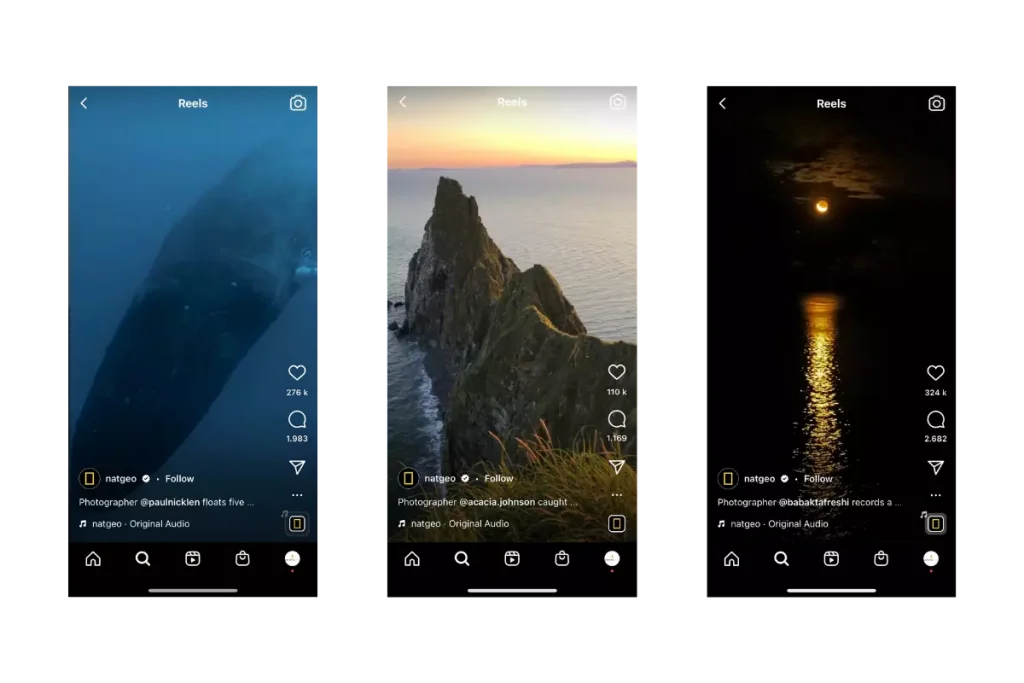
A real comparison should use matched exposure and processing unless those changes are the lesson. Label a reconstruction or illustration clearly.
Prepare, publish and inspect
- Choose a vertical working canvas such as 1080 × 1920 (9:16) for a full-screen design.
- Use footage, music and graphics you have rights to use in the intended account and commercial context. Access to an audio track in an app does not establish every use right.
- Edit the sequence so the opening communicates the subject. Add readable captions; keep important text away from interface overlays and check the preview.
- In Instagram, choose the Reel creation option available in your account and import or record the clip. Review its crop, audio, captions, cover and audience before posting.
- Follow the current composer’s displayed duration and upload limits. Account, app-version and regional availability can differ.
- After publishing, inspect the actual Reel, caption and profile presentation. Correct an inaccurate caption rather than relying on the editing preview alone.
Read insights with the right question
If your account offers professional insights, record reach, views, watch-time measures and relevant actions over the same period. Meta introduced total and average watch time for Reels in its official April 2023 announcement. That announcement supports the meaning of those features at launch; it is not verification of every current account screen or metric label.
A replay, a reached account and a new follower are different outcomes. A high view count does not establish inquiries, sales or audience fit. Record which metric and date range your current app actually shows before comparing videos.
Make a small Reel that teaches a visible change
Start with source material you can explain honestly. For the background-reframing idea above, capture an establishing view of the setup, the two photographs and a brief clip showing the camera move. Keep the exposure and edit matched if position is the lesson. If the images were made on different days or reconstructed, disclose that difference instead of presenting them as one continuous demonstration.
One possible 15-second edit is shown below.
| Approximate time | Picture | Purpose |
|---|---|---|
| 0–3 seconds | The distracting frame with a brief, legible label. | Make the problem visible. |
| 3–7 seconds | A wider view showing the small change in camera position. | Explain what the photographer did. |
| 7–12 seconds | The two photographs at the same size, with time to compare. | Show the result without hiding the evidence in a fast cut. |
| 12–15 seconds | The final frame and a concise takeaway. | Give the viewer a useful action or relevant next step. |
Lengthen the comparison if the detail is difficult to see. Shortening a useful explanation merely to hit an arbitrary duration can make the lesson incomprehensible. A clear still image on screen can be more effective than constant movement.
Check the Reel on a phone before publishing
- Watch without sound. Can a viewer still understand the important step? Add accurate captions or labels where the audio carries the explanation.
- Watch with sound. Check speech clarity, abrupt cuts and whether music masks the voice.
- Inspect the first frame and cover separately. Neither should promise an outcome the clip does not show.
- Check the crop and interface overlays in the actual composer. Keep essential faces, labels and comparison edges visible.
- Confirm permission for people, client work, music and any third-party material. Avoid exposing private screens, names or contact information in behind-the-scenes footage.
- After posting, open the published version and verify the presentation and intended next step.
Choose a next step the viewer can actually take
For a teaching Reel, point to the relevant explanation or resource through a route available in your account. For a service Reel, make the location and type of work clear and keep the profile’s inquiry route current. Do not invite viewers to a resource that is missing or unrelated. A Reel can be useful without requesting a follow, comment and purchase at once.
Diagnose the next edit with more than views
Watch-time measures can suggest where to inspect pacing, but they do not reveal why each person left. Saves may indicate future usefulness; shares may indicate relevance to another person; neither establishes a booking. Use the current labels and definitions available in your account and keep the reporting period consistent.
When a result is weak, first check whether the change is visible and the promise is accurate. Test a clearer opening, a longer comparison or a more relevant subject one at a time. Keep the production time with the result, so the process remains practical alongside paid work. No posting cadence, soundtrack or editing style guarantees reach.
Improve one thing at a time
- If viewers cannot tell what the video teaches, simplify the opening and cover.
- If the result is hard to see, enlarge the comparison and allow enough time to inspect it.
- If audio carries essential instructions, add accurate captions and review them.
- If the video attracts the wrong audience, revisit the subject and promise before adding more posting volume.
Record the result of each change. Check your current composer for available controls and upload limits. See video-quality fundamentals for capture and export issues, and YouTube marketing for long-form discovery and channel analytics.