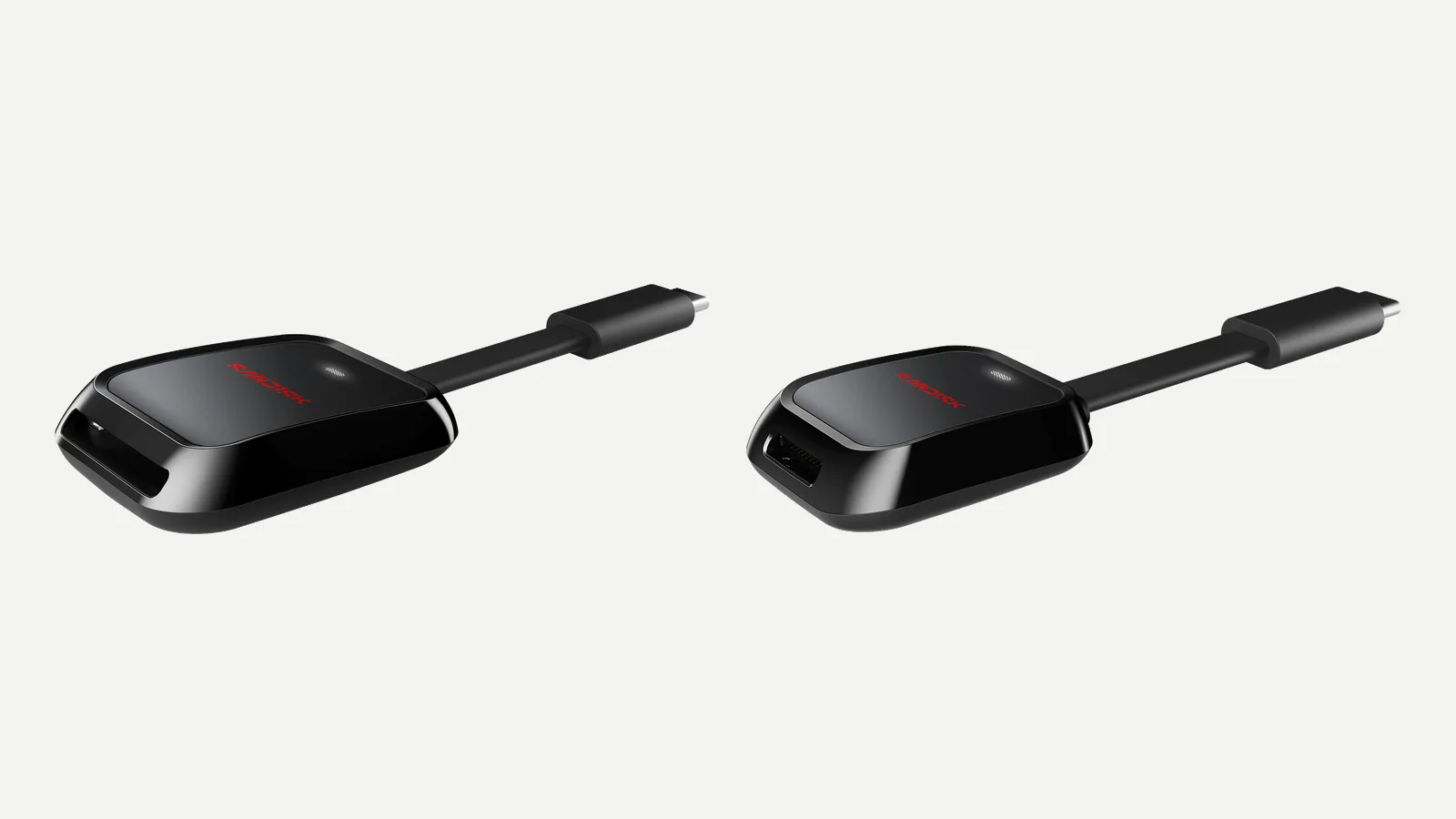
The short answer: for SD cards and a laptop with USB-C, buy the SanDisk QuickFlow SD Card Reader with USB-C (about $45–50). For microSD cards from a drone or action camera, get its twin, the QuickFlow microSD Card Reader. If your computer only has the older, rectangular USB-A ports, the SanDisk SD UHS-I Card Reader costs about $30. And if your camera records to CFexpress Type B cards, you need the Extreme PRO CFexpress Type B Card Reader ($99.99).
Why a SanDisk reader at all? Any card reader will read a SanDisk card, but SanDisk’s Extreme and Extreme PRO cards only reach the big read speeds on the label (up to 250 MB/s) in a compatible reader, which mostly means SanDisk’s own. Speeds and prices below come from SanDisk’s product pages and Amazon, checked in November 2026; we haven’t benchmarked these readers.
SanDisk card readers compared
| Reader | Cards | Plug | Top speed (SanDisk) | Price |
|---|---|---|---|---|
| QuickFlow SD (SDDR-C751) | SD, UHS-I and UHS-II | USB-C (USB 3.2 Gen 1) | 250 MB/s read, 170 MB/s write | $49.99 |
| QuickFlow microSD (SDDR-B751) | microSD, UHS-I and UHS-II | USB-C (USB 3.2 Gen 1) | 250 MB/s read, 170 MB/s write | $49.99 |
| SD UHS-I Card Reader (SDDR-C531) | SD, UHS-I | USB-A (USB 3.0) | 170 MB/s | $29.99 |
| Extreme PRO CFexpress Type B (SDDR-F451) | CFexpress Type B | USB-C (USB 3.1 Gen 2, 10Gbps) | Not stated | $99.99 |
How to choose a SanDisk card reader
Match the card. SD readers take full-size SD cards, microSD readers take the small cards used in drones, action cameras and phones, and CFexpress readers take only CFexpress. A microSD card will go into an SD reader with an adapter, but a dedicated microSD reader is simpler, and a UHS-II microSD card drops to UHS-I speed in an adapter.
Match the plug. Recent laptops, MacBooks, iPads and iPhones from the iPhone 15 on have USB-C. Older Windows PCs and desktops often have only USB-A. Plug a reader into a USB 2.0 port or a USB 2.0 hub and it slows to USB 2.0 speed, whatever the box says.
Match the speed to your card. Most SanDisk SD and microSD cards (Ultra, Extreme and the standard Extreme PRO) are UHS-I, and the UHS-I bus tops out at about 104 MB/s. SanDisk’s higher figures (195, 230 or 250 MB/s reads) use its own technology, which it now calls QuickFlow, and only work in compatible devices. SanDisk’s readers are those devices: up to 250 MB/s for the QuickFlow pair, up to 170 MB/s for the cheaper SD UHS-I reader. Our SanDisk Ultra vs Extreme vs Extreme PRO guide lists each card’s speed by capacity.
Does it matter? At the rated speeds, copying a full 64GB card takes about 11 minutes at 100 MB/s and about 4 minutes at 250 MB/s. If you offload a few holiday photos, any reader is fine. If you empty big video cards several times a week, the QuickFlow saves real time, as long as your card is one of the faster ones.
Best for SD cards: SanDisk QuickFlow SD Card Reader with USB-C
SanDisk calls the QuickFlow SD its fastest SD card reader. It’s rated at up to 250 MB/s read and 170 MB/s write, the same numbers as SanDisk’s fastest Extreme PRO SD cards (256GB to 1TB), so it’s the reader that lets those cards run at full speed. It reads UHS-I and UHS-II SD cards, and its USB-C plug (USB 3.2 Gen 1) also works in older USB-C 2.0 and 3.0 ports, at those ports’ speeds.
It’s small and light (26 grams) with a short attached cable, so it lives in a laptop bag. It’s the one to buy for a MacBook Air or any USB-C laptop without an SD slot. One limit: UHS-II cards rated at 300 MB/s can’t go faster than the reader’s own 250 MB/s rating.
Best for microSD: SanDisk QuickFlow microSD Card Reader with USB-C
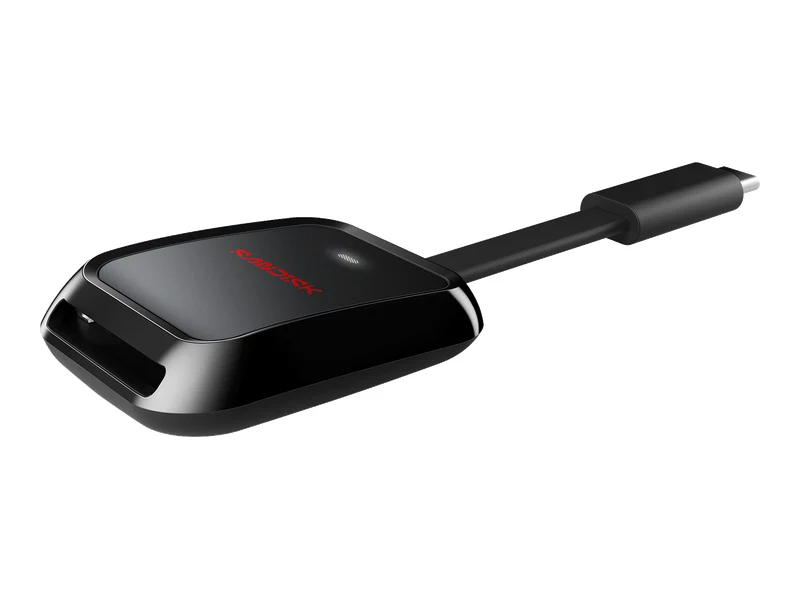
The same reader for microSD cards, with the same ratings: up to 250 MB/s read and 170 MB/s write, UHS-I and UHS-II microSD support, and a USB-C plug (USB 3.2 Gen 1). SanDisk pitches it for the 4K and 5.3K video and RAW bursts that drones and action cameras fill cards with, and it’s 21 grams.
Pair it with an Extreme or Extreme PRO microSD card: both read at up to 245–250 MB/s in a compatible reader, against about 104 MB/s in an ordinary one.
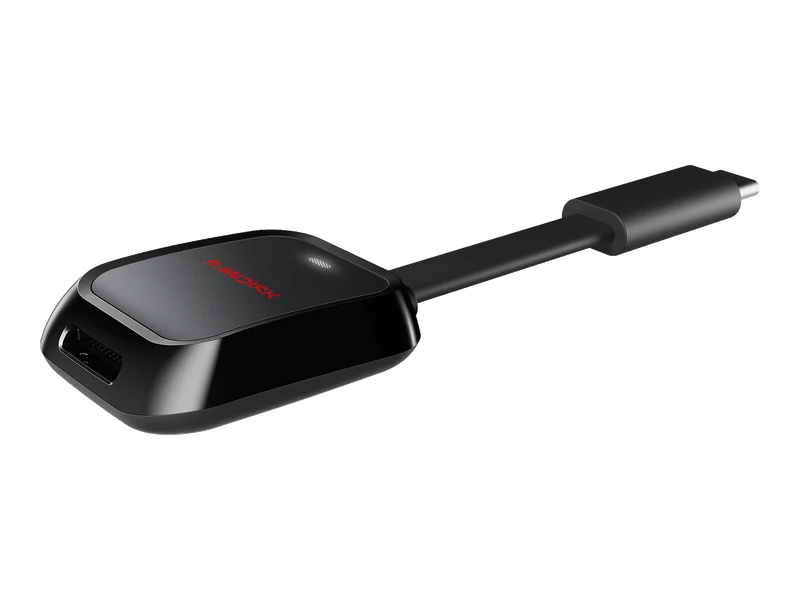
Best for USB-A computers: SanDisk SD UHS-I Card Reader
If your computer has only USB-A ports, this is SanDisk’s simple SD reader: USB 3.0, rated at up to 170 MB/s with compatible SanDisk cards, and backwards-compatible with USB 2.0. It takes UHS-I SD cards and weighs 15 grams. SanDisk sells it for $29.99; on Amazon it’s sold in a bundle with a microSD-to-SD adapter, which lets it read microSD cards too.
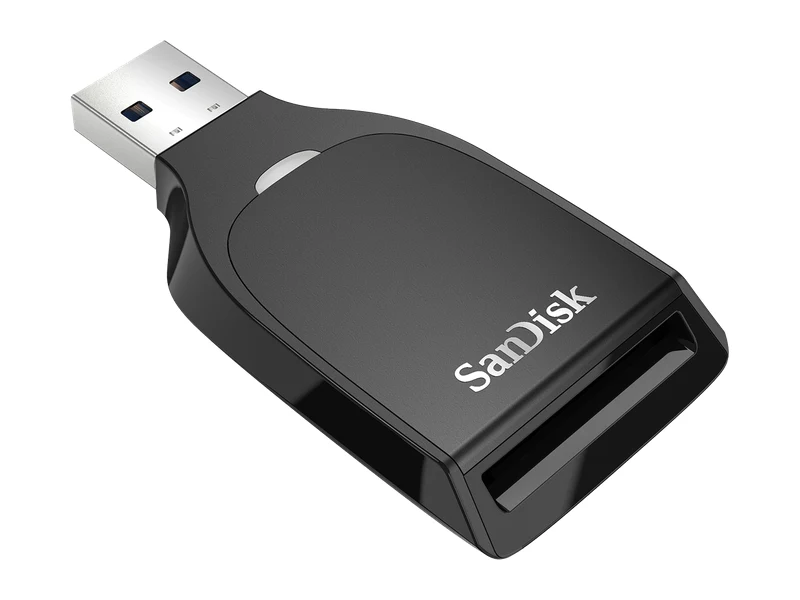
Best for CFexpress Type B: SanDisk Extreme PRO CFexpress Type B Card Reader
Cameras that record to CFexpress Type B cards need a CFexpress reader; SD readers won’t take them. SanDisk’s connects over USB 3.1 Gen 2 (10Gbps) with a USB-C port and comes with a half-meter USB-C cable and a 2-year warranty. It reads Type B cards only, not the smaller CFexpress Type A.
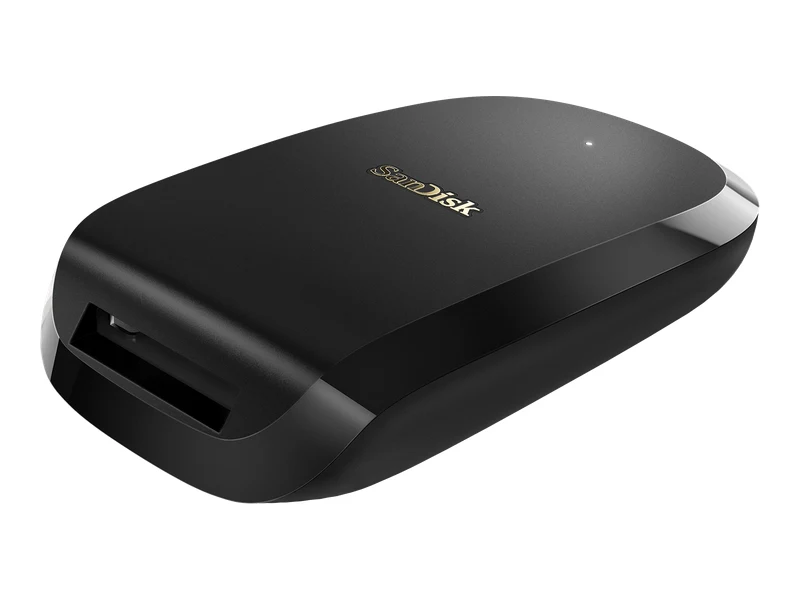
Other SanDisk card readers
SanDisk sells several more readers. In November 2026 we couldn’t find them as standard SanDisk listings on Amazon US, so these are easiest to buy from SanDisk’s store:
- ImageMate PRO USB-C (SDDR-A631): SD, microSD and CompactFlash in one reader, rated at up to 312 MB/s for SD and microSD cards. $49.99.
- SanDisk Professional PRO-READER SD and microSD: an aluminum reader for SD and microSD cards with a USB-C (5Gbps) port, a write-protect switch and a stackable design that fits SanDisk’s PRO-DOCK 4. $69.99.
- MobileMate USB 3.0 (SDDR-B531): a tiny USB-A microSD reader, rated at up to 170 MB/s. $19.99.
- PRO-READER SD Express Dual Card (SDDR-A451): one SD Express and one microSD Express slot, USB 3.2 Gen 2. It also reads UHS-I cards. $129.99.
SanDisk card reader for iPhone
iPhone 15 and later models have a USB-C port, so a USB-C reader such as the QuickFlow SD or microSD plugs straight in; SanDisk says its QuickFlow plug works with USB-C ports on many devices, including select smartphones. Insert the card and open the Photos app, where the card shows up as a device to import from (in iOS 18 it’s under Collections, in the Devices section). Tap Import All, or pick the photos you want. You can also browse the card in the Files app.
Two things to know, both from Apple’s support page. Standard iPhones such as the iPhone 15 and 16 transfer at USB 2 speed (Apple lists USB 3 speeds for the Pro models), so a faster reader won’t speed up imports on them. And Photos imports what a camera recorded: files that were renamed, edited or copied onto the card may not import.
None of SanDisk’s current readers has a Lightning plug, so for an older iPhone with a Lightning port the simplest option is Apple’s Lightning to SD Card Camera Reader.
SanDisk card reader for Mac
SanDisk’s readers need no driver on a Mac: plug one in and the card appears in Finder. Whether you need one depends on your Mac. According to Apple, the 14- and 16-inch MacBook Pro (2021 and later) and the Mac Studio (2022 and later) have a built-in SDXC slot that supports UHS-II cards. Current MacBook Air, 24-inch iMac and Mac mini models don’t have one, so they need a reader, and the QuickFlow SD with USB-C is the natural match.
Even on a MacBook Pro, a QuickFlow reader can be faster with SanDisk’s UHS-I cards: SanDisk’s speeds above 104 MB/s need a compatible device, and the Mac’s slot reads those cards at normal UHS-I speed. With a UHS-II card, the built-in slot is already fast. Whichever you use, eject the card in Finder before you pull it out.
Our verdict
Most people should buy the QuickFlow SD Card Reader with USB-C: it’s small, it plugs into USB-C laptops, iPads and iPhones, and it’s the reader that unlocks the full speed of SanDisk’s Extreme PRO cards. Choose the QuickFlow microSD reader if your cards come out of a drone or action camera, the SD UHS-I Card Reader for an older computer with USB-A, and the Extreme PRO CFexpress Type B reader if your camera uses CFexpress.
Frequently asked questions
Which SanDisk card reader should I buy?
For SD cards and a USB-C computer, the QuickFlow SD Card Reader with USB-C. For microSD cards, the QuickFlow microSD Card Reader. For a computer with only USB-A ports, the SanDisk SD UHS-I Card Reader. For CFexpress Type B cards, the Extreme PRO CFexpress Type B Card Reader.
What is SanDisk QuickFlow?
It’s SanDisk’s name for the technology that lets its UHS-I Extreme and Extreme PRO cards read faster than the usual UHS-I limit of about 104 MB/s, up to 250 MB/s. It only works in compatible devices, such as SanDisk’s QuickFlow readers.
Do I need a SanDisk reader for a SanDisk card?
No. Any SD or microSD reader will read a SanDisk card. You only need a SanDisk reader to get the read speeds above about 104 MB/s printed on Extreme and Extreme PRO cards.
Does a SanDisk card reader work with an iPhone?
Yes, with an iPhone 15 or later, which has USB-C. Plug in a USB-C reader such as the QuickFlow SD, insert the card and import from the Photos app. For iPhones with a Lightning port, Apple’s Lightning to SD Card Camera Reader is the simplest option.
Does a SanDisk card reader work with a Mac?
Yes, with no driver to install. Macs without an SD slot, such as current MacBook Air models, need one; the QuickFlow SD with USB-C is the easiest fit.
Can a SanDisk SD card reader read microSD cards?
Yes, with a microSD-to-SD adapter. A UHS-II microSD card runs at UHS-I speed in an adapter, so the QuickFlow microSD reader is the better choice for fast microSD cards.
Why is my SanDisk card reader slow?
Check the port first: a USB 2.0 port or a hub slows any reader down. Then check the card’s own speed rating, since only the faster Extreme and Extreme PRO cards reach 170–250 MB/s. Thousands of small files also copy more slowly than a few large ones.
As an Amazon Associate, Artistic Hive earns from qualifying purchases.