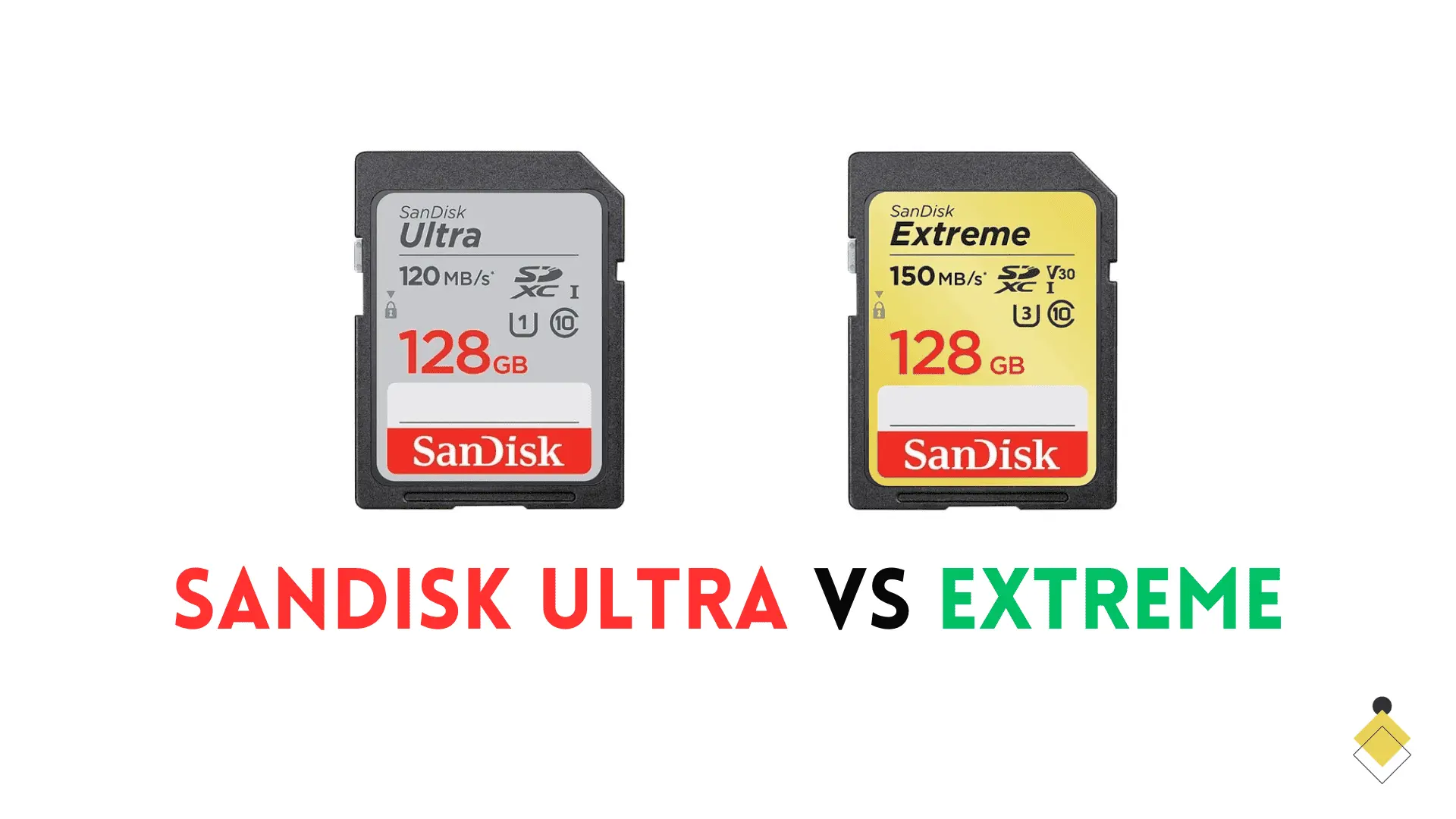
The short version: the SanDisk Ultra is a budget card for photos and Full HD (1080p) video, the SanDisk Extreme is the best-value card for 4K, and the SanDisk Extreme Pro is the premium card with the fastest write speeds for demanding professional work. The one difference that matters most: the Ultra is a U1 card with no video-speed rating, while the Extreme and Extreme Pro are both U3 / V30 cards built to sustain 4K recording. If you shoot 4K, don’t buy the Ultra.
SanDisk Ultra vs Extreme in one line: the Extreme is a faster U3 / V30 card built for 4K and rugged use, while the Ultra is a cheaper U1 card best kept to photos and 1080p.
Last updated: 2026. All speeds below come from SanDisk’s official data sheets for the full-size SD (UHS-I) cards.

SanDisk Ultra vs Extreme vs Extreme Pro: the comparison table
Here is the head-to-head every other comparison leaves out: all three full-size SD lines side by side, with current read and write speeds plus the ratings that decide what each card can do.
| Feature | SanDisk Ultra | SanDisk Extreme | SanDisk Extreme Pro |
|---|---|---|---|
| Best for | Photos & 1080p video | 4K video (best value) | Pro 4K & high-bitrate |
| Max read speed | Up to 150 MB/s | Up to 180 MB/s | Up to 200 MB/s (250 on newest high-capacity) |
| Max write speed | Not rated by SanDisk (slowest) | Up to 130 MB/s | Up to 170 MB/s |
| Speed class | Class 10 | Class 10 | Class 10 |
| UHS speed class | U1 | U3 | U3 |
| Video speed class | None (1080p only) | V30 (4K) | V30 (4K) |
| Bus interface | UHS-I | UHS-I | UHS-I |
| Capacities | 16GB–512GB | 32GB–512GB | 32GB–2TB |
| Warranty | 10-year limited | Lifetime limited | Lifetime limited |
| Price tier | $ (budget) | $$ (mid) | $$$ (premium) |
If you only remember one row, make it the video speed class. The Ultra carries no V-rating and SanDisk doesn’t publish a write speed for it, so it’s a 1080p card. The Extreme and Extreme Pro are both V30, which is the rating that guarantees a card can keep up with 4K.
What actually separates these cards
All three share the same physical connector (UHS-I) and the same Class 10 badge, so those don’t tell you anything useful. The real differences come down to four things.

1. U1 vs U3 (the minimum write guarantee)
The U-number inside the little bucket symbol is a card’s guaranteed minimum sustained write speed. The Ultra is U1, meaning at least 10 MB/s. The Extreme and Extreme Pro are U3, meaning at least 30 MB/s. That floor is what stops a card from choking mid-recording, so for anything more demanding than 1080p you want U3.
2. Video Speed Class (V30 is the 4K line)
V30 guarantees a sustained 30 MB/s write, which is the practical threshold for recording 4K. Both the Extreme and Extreme Pro are V30. The Ultra has no Video Speed Class printed on it at all, which is SanDisk’s own way of saying it’s a Full HD card. This single fact answers most “which SanDisk card do I need” questions: shooting 4K means Extreme or Extreme Pro.
3. Write speed (where the Ultra quietly falls behind)
Read speed is a marketing number. It tells you how fast you can offload files to a computer, not how fast your camera can save them. The number that decides whether a card keeps up while shooting is the write speed, and it’s where the gap is widest. SanDisk publishes write ratings for the Extreme (up to 130 MB/s) and Extreme Pro (up to 170 MB/s) but lists only “write speed lower” for every Ultra capacity. When SanDisk won’t commit to a number, take the hint and keep the Ultra away from burst shooting and 4K.
Write speed also scales with capacity, so a 32GB card is much slower than a 256GB one in the same line. Here’s how the two rated lines break down:
| Capacity | Extreme (read / write) | Extreme Pro (read / write) |
|---|---|---|
| 32GB | 100 / 60 MB/s | 100 / 90 MB/s |
| 64GB | 170 / 80 MB/s | 200 / 90 MB/s |
| 128GB | 180 / 90 MB/s | 250 / 120 MB/s |
| 256GB | 180 / 130 MB/s | 250 / 170 MB/s |
| 512GB | 180 / 130 MB/s | 250 / 170 MB/s |
| 1TB | — | 250 / 170 MB/s |
4. Build quality and warranty
The Ultra uses SanDisk’s standard construction and comes with a 10-year limited warranty. The Extreme and Extreme Pro are built to survive more abuse, rated to shrug off water, shock, drops, X-rays, and temperature extremes. Both also carry a lifetime limited warranty (30 years in a few regions that don’t recognize lifetime terms). If a card is going into a camera that lives outdoors, that extra ruggedness is worth having.
One thing every spec sheet hides: the UHS-I ceiling
All three of these cards are UHS-I, and the UHS-I bus tops out at about 104 MB/s through the single row of pins on the back of the card. So how does SanDisk advertise 180 or 250 MB/s reads? Those peak figures rely on SanDisk’s proprietary QuickFlow technology and a compatible SanDisk reader that’s sold separately. Drop the card into a normal camera or laptop slot and you’ll land closer to 100 MB/s no matter which line you buy.
This matters for two reasons. First, the giant read numbers on the packaging are not what you’ll see day to day. Second, if you genuinely need faster-than-UHS-I transfer, you want a UHS-II card (which has a second row of pins) and a UHS-II camera or reader to match. The Ultra, Extreme, and Extreme Pro compared here are all single-row UHS-I cards.
SanDisk Extreme vs Extreme Pro: is the upgrade worth it?
This is the closest matchup of the three, because both cards are U3 and V30 and both handle 4K. The Extreme Pro pulls ahead in three places: faster write speeds (up to 170 MB/s versus 130), higher top capacities (up to 2TB versus 512GB), and slightly higher peak read numbers. For most people shooting 4K on a mirrorless camera like the Sony FX30, the standard Extreme already has the headroom, and it’s usually the better value.
Step up to the Extreme Pro when your work really stresses the card: high-bitrate 4K, long continuous RAW bursts, or a workflow where dropped frames aren’t an option. If you’re recording 1080p or casual 4K, the Extreme Pro premium mostly buys you a safety margin you won’t use.
Which SanDisk card should you buy?
Match the card to what you actually shoot rather than to the biggest number on the box.
- Buy the Ultra if: you shoot photos and 1080p video on a compact camera or an entry-level DSLR or mirrorless, and you want the most storage for the least money.
- Buy the Extreme if: you record 4K on a mirrorless or DSLR or shoot RAW bursts. It’s the sweet spot of speed, durability, and price for most creators.
- Buy the Extreme Pro if: you shoot high-bitrate 4K or 6K, run long continuous bursts, or work professionally where reliability and the fastest sustained writes are worth the premium.
- Look past all three if: you’re feeding a dashcam or security camera (get SanDisk’s High Endurance line, built for constant rewriting) or you need true UHS-II transfer speeds (get a UHS-II card and reader).
Is the SanDisk Ultra good enough for 4K?
Short answer: no, not reliably. Because the Ultra is U1 with no V-rating and no published write speed, it can stall while recording 4K or take a long time to clear a burst buffer. Some cameras will let you start a 4K clip on an Ultra, but there’s no guarantee it can sustain the data rate, and a dropped recording is an expensive way to save a few dollars. For 4K, choose the Extreme or Extreme Pro.
Pricing and value
The Extreme typically runs about 30 to 50 percent more than a same-size Ultra, and the Extreme Pro sits above both. The gap is proportionally largest at small capacities and narrows as you climb, so at 256GB and up the step from Ultra to Extreme often costs only a little more for a lot more capability. Check the current price before buying, since memory-card prices move constantly:
- SanDisk Ultra — the budget pick for photos and 1080p
- SanDisk Extreme — the best-value 4K card
- SanDisk Extreme Pro — the premium choice for demanding work
One honest caveat: the Extreme premium is not worth it if you only shoot 1080p or the occasional casual 4K clip. In that case the Ultra’s lower price and larger capacity per dollar win.
Before you buy: revisions, counterfeits, and microSD
Three things trip up buyers of these cards:
- Check the speed printed on the card, not just the model name. SanDisk has quietly revised these lines over the years (the Extreme Pro alone has gone 95 to 170 to 200 to 250 MB/s), and older stock is still on shelves. The printed number tells you which revision you’re getting.
- SanDisk cards are heavily counterfeited. Buy from SanDisk directly or a reputable retailer, and be suspicious of prices that look too good. A fake card can report the wrong capacity and fail without warning.
- microSD versions are different products. The microSD Ultra, Extreme, and Extreme Pro have their own specs and add A1 or A2 app-performance ratings that the full-size SD cards in this guide don’t carry. If you’re buying for a phone, drone, or Nintendo Switch, look specifically at the microSD line.
The bottom line
Pick by what the card has to keep up with. The Ultra is a fine, cheap card for photos and 1080p, and nothing more. The Extreme is the one most people should buy: U3, V30, rugged, and priced sensibly for real 4K work. The Extreme Pro is for professionals and high-bitrate shooters who need the fastest sustained writes and the largest capacities. Once you’ve decided how demanding your shooting is, the right card picks itself.
Frequently asked questions
Is the SanDisk Ultra or Extreme better?
The Extreme is the better card for anything beyond casual use. It writes far faster, is rated U3 and V30 for sustained 4K, is more durable, and carries a lifetime warranty. The Ultra wins only on price, which makes it the right pick if you shoot photos and 1080p video and want the most storage for your money.
What is the difference between SanDisk Ultra and Extreme?
The Extreme is a U3 / V30 card with published write speeds up to 130 MB/s, built for 4K and rugged use. The Ultra is a U1 card with no video-speed rating and no published write speed, meant for photos and 1080p. The Extreme also adds better durability and a lifetime warranty versus the Ultra’s 10-year warranty.
Which is better, SanDisk Extreme or Extreme Pro?
Both handle 4K, but the Extreme Pro writes faster (up to 170 MB/s versus 130), comes in higher capacities (up to 2TB), and posts higher peak read speeds. The standard Extreme is the better value for most 4K shooters; step up to the Pro for high-bitrate 4K/6K, long RAW bursts, or professional reliability.
Is the SanDisk Extreme Pro worth it?
It’s worth it if your work stresses the card, meaning high-bitrate video, sustained bursts, or professional jobs where you can’t risk a dropped frame. For everyday 4K on a mirrorless camera, the standard Extreme already has enough headroom and costs less.
Do these cards really hit their advertised read speeds?
Not in a normal camera or laptop. These are UHS-I cards, and the UHS-I bus caps out around 104 MB/s. The advertised 180 or 250 MB/s reads require SanDisk’s proprietary QuickFlow technology and a matching SanDisk reader. For faster real-world transfer you need a UHS-II card and a UHS-II reader.
Are the microSD versions the same as these SD cards?
No. The microSD Ultra, Extreme, and Extreme Pro are separate products with their own speed ratings, and they add A1 or A2 app-performance ratings that the full-size SD cards don’t have. If you’re buying for a phone, action cam, drone, or Switch, shop the microSD line specifically.