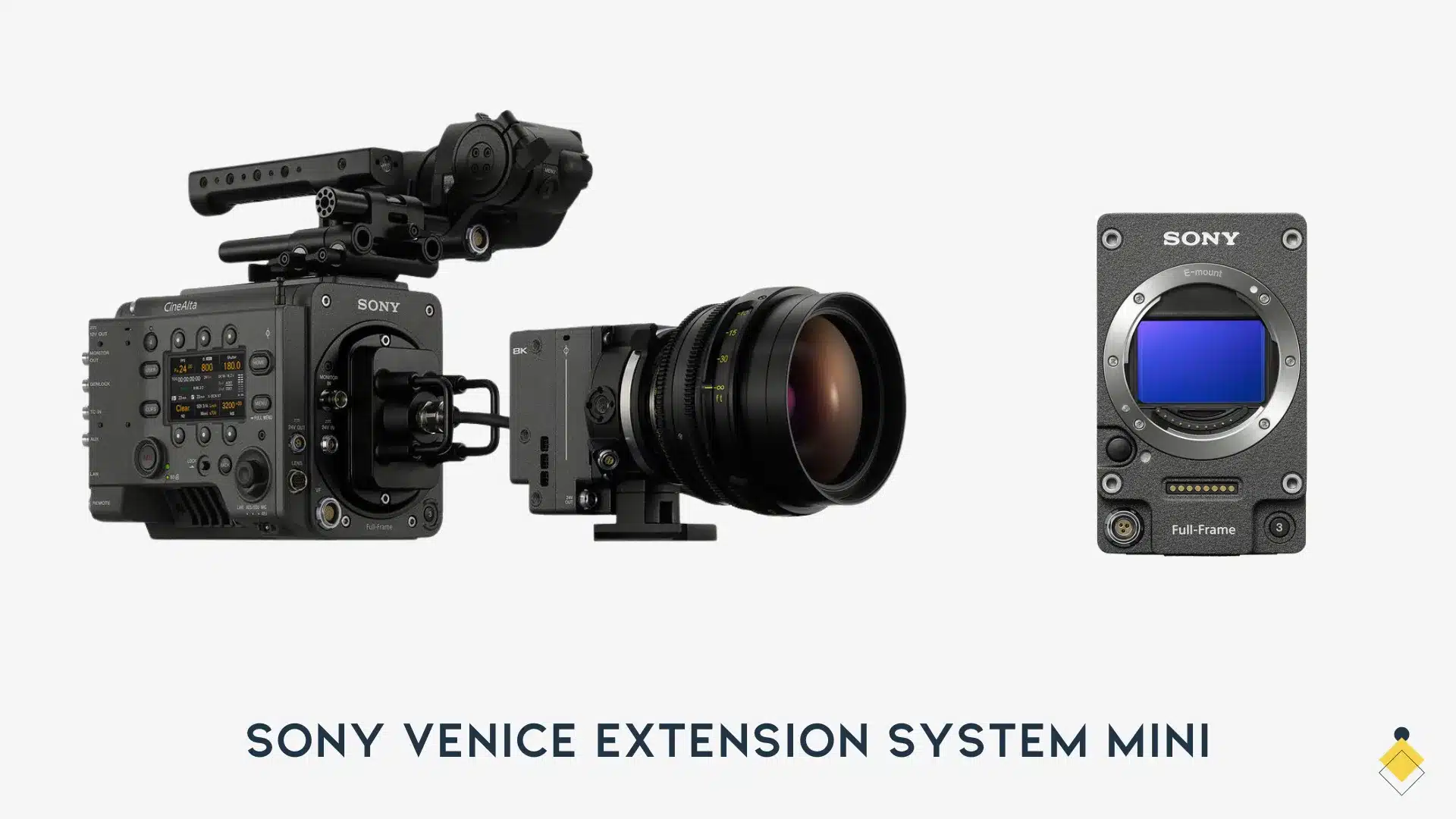
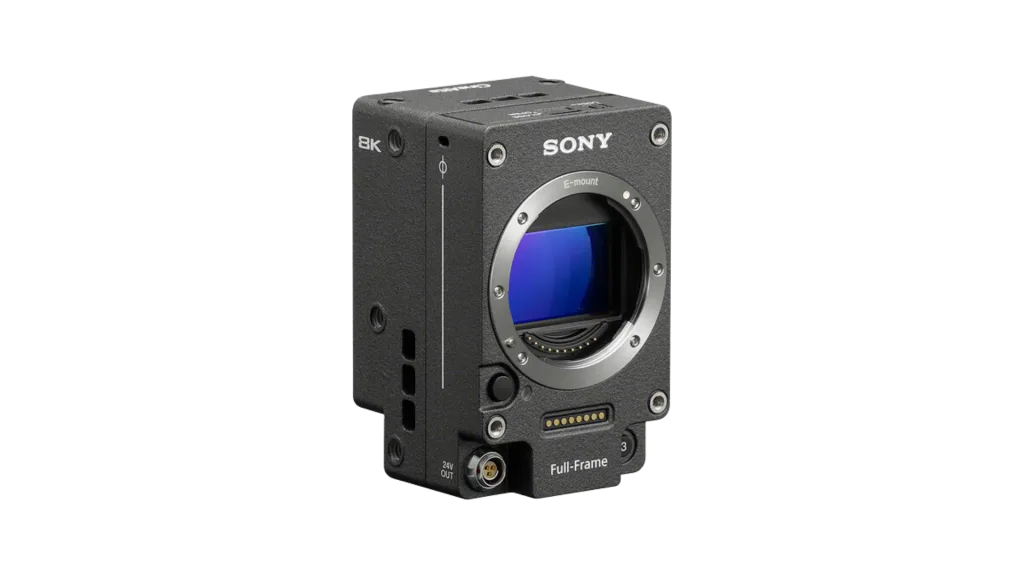
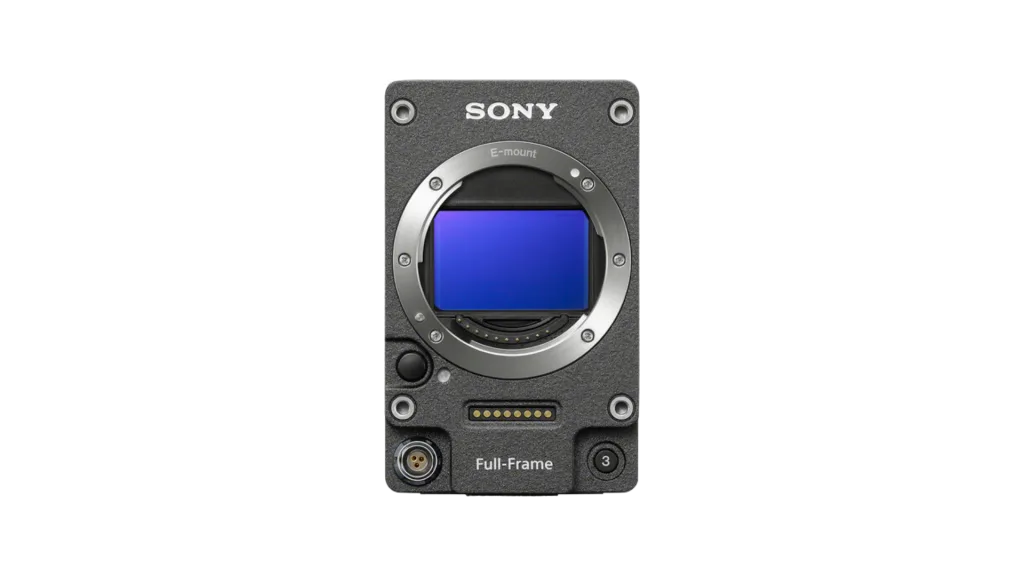
The Sony VENICE Extension System Mini (CBK-3621XS) places an 8.6K sensor in a small remote head connected to a VENICE 2 body. It is intended for camera positions where the full body is difficult to fit. The head is not a standalone camera: the body remains part of the recording and power system.
Compatibility and dimensions
| Item | Sony specification / scope |
|---|---|
| Product | CBK-3621XS; distinguish it from VENICE Extension System 2 |
| Compatible bodies | VENICE 2 with either the 8K or 6K sensor configuration; version 4.0 or later required |
| Head sensor | Built-in 8.6K sensor; the attached body’s 6K designation does not turn this into a 6K sensor head |
| Head dimensions | 63.9 × 103.2 × 60.2 mm, W × H × D |
| Head weight | About 0.54 kg with E mount; about 1.05 kg with PL adapter; cable excluded |
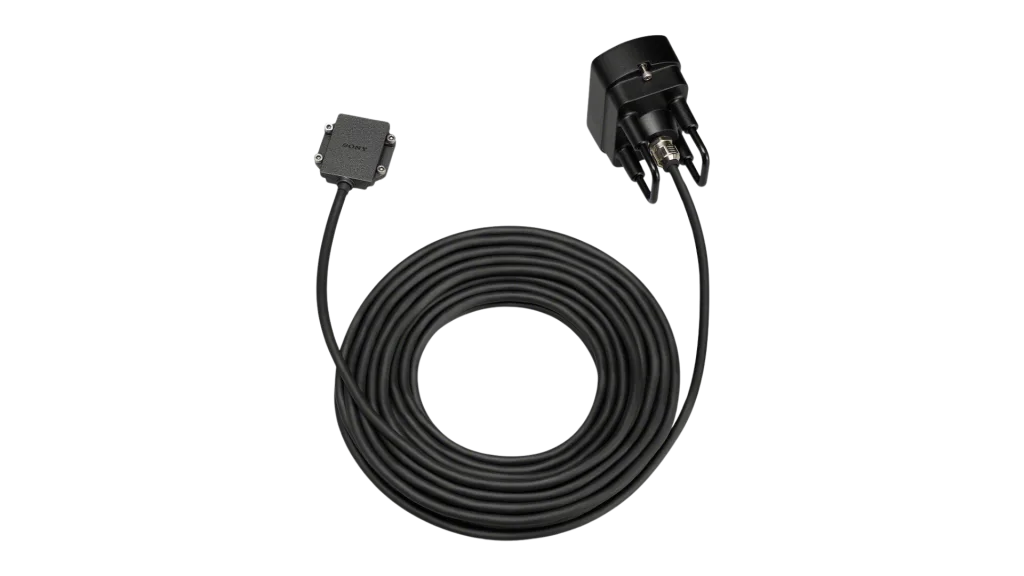
| Cable | 4.5 m supplied; optional CBK-12C3621 is 12 m |
| Lens mounting | E mount with removable PL adapter |
| ND | Drop-in filters from clear through ND 2.4; discrete filters, not a continuously variable electronic ND |
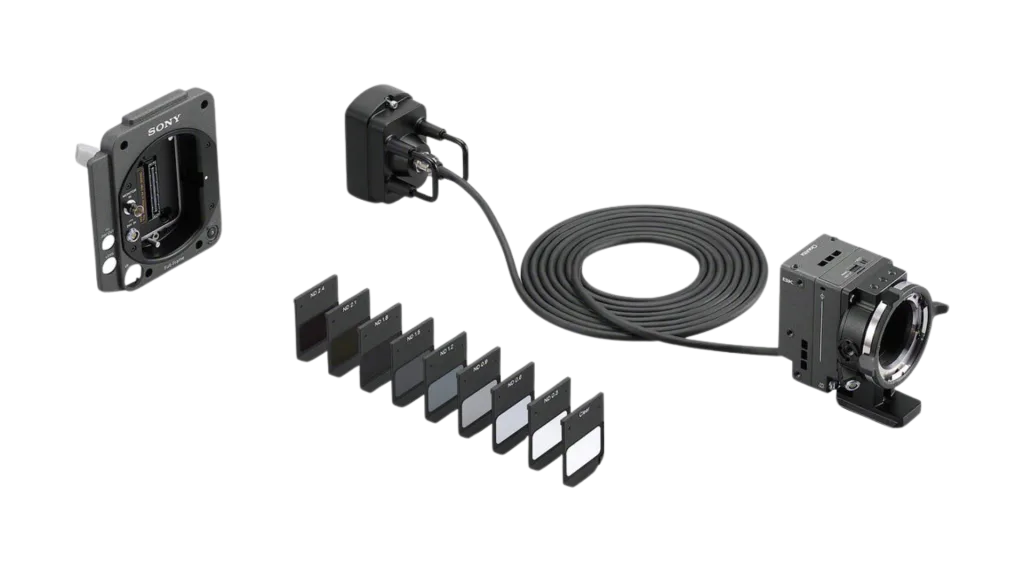
Source: Sony’s CBK-3621XS technical data and the optional cable page. The metric dimensions above follow Sony’s technical table; an inconsistent inch conversion in a marketing paragraph should not be used for a rig drawing.
What belongs at the head and what stays with the body
The head carries the sensor and lens interface. The camera body records and provides the system’s main processing and operating interface. The cable is therefore a working part of the camera, not just a monitor lead. Protect it from pinching, sharp bends, strain and moving mechanisms according to Sony’s instructions.
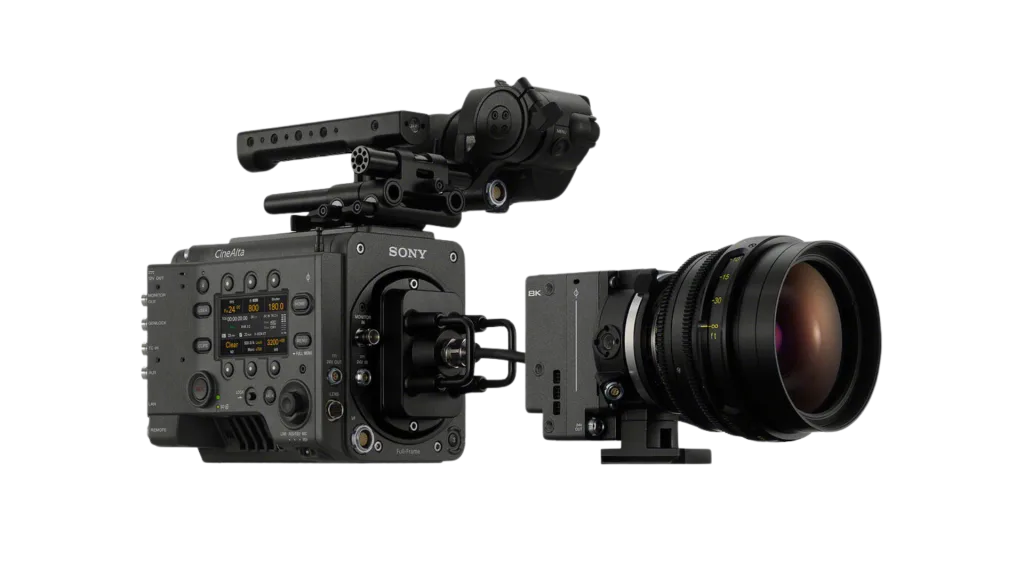
Budget the body’s position, operator access, media changes, power and monitoring even when only the head appears in the tight space. A small head can solve clearance at the lens while the complete system still needs support and crew coordination.
Three concrete uses to evaluate
| Use | Why the head may help | What still needs a test |
|---|---|---|
| Vehicle interior | Places the lens where a full body would obstruct framing | Approved mounts, cable route, operator access and vehicle safety |
| Tight doorway or low camera position | Separates the sensor/lens position from the body’s bulk | Clearance for lens, focus motors, filters and support |
| Stereo or closely spaced camera positions | Allows two heads to be positioned near each other | Two complete supported camera systems; a two-head rig does not mean one body records both |
Earlier productions such as Top Gun: Maverick and Avatar: The Way of Water used the older Rialto extension system, not the Mini.
Design the complete shot around the remote head
Start with the lens envelope
Measure the space occupied by the lens, focus motor, support, filter access and connectors, not just the sensor head. A head that fits between a dashboard and windscreen may still leave no room to turn a focus ring or change an ND. Mark the lens position and intended movement first, then work backward to a supported route for the cable and body.
For a moving shot, rehearse the whole move with the proposed lens and accessories. Check where the cable goes at each end of the move and where the body operator stands. A gimbal payload calculation must include everything carried on its moving assembly; the head’s published weight alone is not the rig weight. Treat cable pull as a separate rigging problem even when the assembly fits the payload rating.
Allow time and access for filter changes
The Mini’s compactness comes with a different exposure routine. Its drop-in ND filters are physically exchanged; the remote head is not a way to retain the body’s normal ND-wheel operation at the lens. On a shot that crosses from a dark interior into daylight, decide whether exposure will change through lighting, aperture or another planned method. A filter change generally belongs between takes.
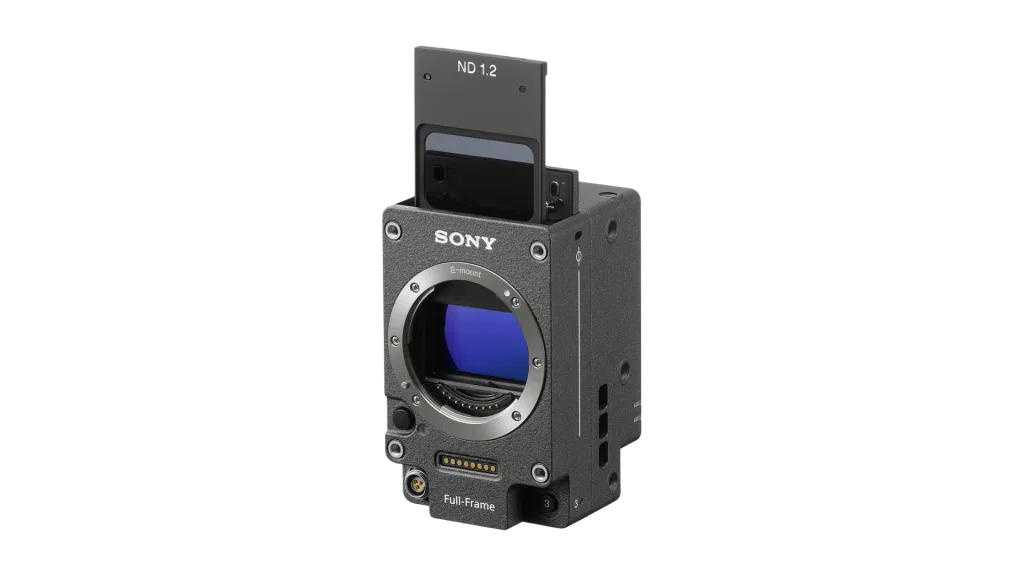
Sony’s introduction identifies the dedicated filter system and detachable cable. It also describes side-by-side and array applications. Those applications still require a complete capture and synchronization plan; placing two heads next to each other does not by itself produce a finished immersive deliverable.
A documented Mini production, with its limits
Sony’s commissioned short Descent is a useful example of the specific space problem. Its production account describes Kate Reid BSC using the Mini handheld and on a small gimbal inside a confined spacecraft set, with the VENICE 2 body connected by cable. The relevant lesson is access to camera positions while keeping the surrounding set intact.
This is a manufacturer-published account. It does not establish that every gimbal, lens or vehicle installation will work. Use it to define a question for prep: can this package achieve the required lens position and movement without forcing the production to redesign the set?
When the Mini may add work without solving a problem
For a conventional tripod interview where the complete VENICE 2 already fits, the extension may add cable management and filter handling without changing the shot. For a tight interior with a remote operator, it can address a constraint the full body cannot. Compare those two configurations during rental prep, including setup time, filter access, focus control and media changes. The decision should follow the shot rather than the appeal of a smaller head.
Rental preparation
- Specify CBK-3621XS and the compatible VENICE 2 body/firmware on the order. Do not substitute a similarly named extension system without checking the requirement.
- List lens, mount, support and ND needs; check coverage and physical clearance in the selected sensor mode.
- Choose the cable length from the actual route, allowing the supported routing required by Sony. Include the cable in the load and mounting plan.
- Test recording, monitoring, lens control, focus and power as one complete package. Verify the head/body combination and all required accessories before leaving prep.
- Document return condition and protect the exposed components during changes using the manufacturer’s procedure.
Sony announced the Mini in March 2025. An announcement or regional launch timetable is not proof of current local inventory. Get a dated rental quote with body, head, cable, mount, support, insurance and prep included.
Compare the BURANO guide for a different small-crew operating problem, or the ALEXA 35 guide for media and post planning. Lens position still determines the story: the lens-choice worksheet helps define the shot before choosing the rig.
For a virtual-production installation, distinguish the extension head from a Sony OCELLUS camera-tracking system. Tracking supplies pose data; it does not replace the VENICE camera body or automatically calibrate the lens and set.