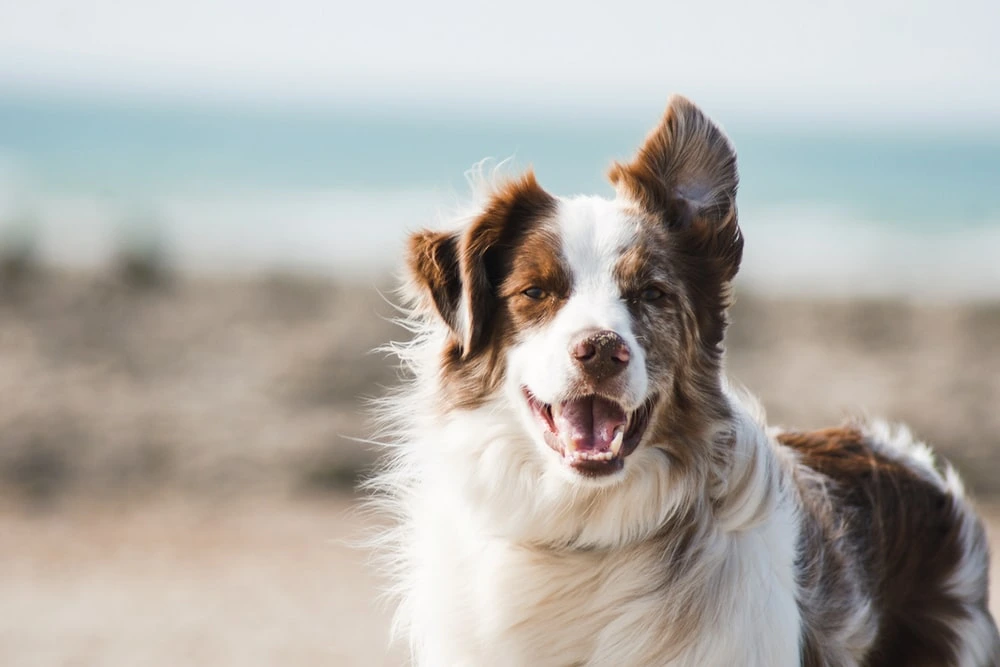
Start dog photography with the dog’s comfort, then choose settings for either a calm portrait or movement. A familiar location, a cooperative owner and a clear background usually matter more than a bag of props. Never force an interaction to obtain a photograph.
Prepare a comfortable session
- Ask the owner about the dog’s behavior, health, triggers and familiar cues. Keep an appropriate lead and a responsible handler where required.
- Choose a quiet, permitted location with secure footing and room to move. Keep away from traffic, cliffs and other hazards.
- Allow the dog to investigate the camera at its own pace. Keep sessions short, with water and rest appropriate to the conditions.
- Use treats or toys only with the owner’s agreement. Do not withhold care or provoke a reaction.
- Stop if the dog tries to withdraw or appears uncomfortable. A wagging tail alone does not prove comfort; read the whole situation.
Dogs Trust’s body-language guidance is a useful starting point for recognizing when a dog needs space. A photo session is not a reason to override the handler’s judgment or the animal’s signals.
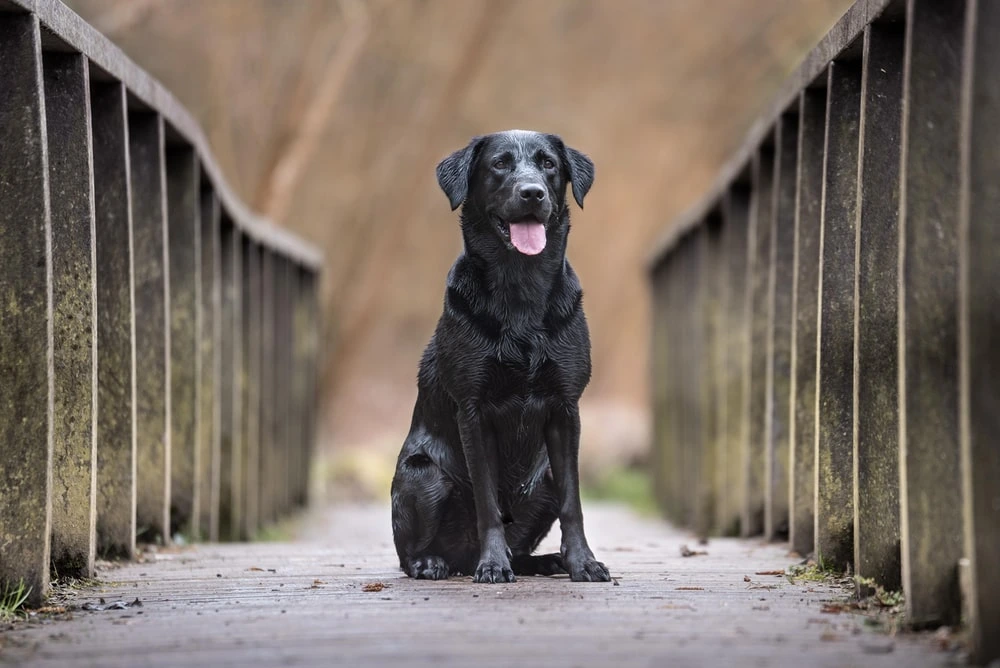
Calm portraits: simplify first
- Place yourself so the background is clean and the light is gentle. Move the camera rather than repeatedly moving the dog.
- Work near the dog’s eye level when practical and safe. A longer working distance may feel less intrusive.
- Focus on the nearer eye. Use animal-eye detection only if your camera supports it and confirm what it selected.
- Choose enough depth of field for the face you want sharp; a wide aperture can leave the nose or second eye outside focus.
- Take a short sequence during a natural pause, then inspect focus and expression at a useful magnification.
Action: prepare the route before the run
Use a safe, familiar activity the owner already controls. Position yourself outside the movement path, choose a background and pre-plan the framing. Continuous autofocus and a short burst can help, but tracking performance varies by camera, subject and light.
For an illustrative starting point in adequate daylight, try a shutter around 1/1000 second for running and adjust after checking feet, fur and eyes. A calm portrait might start around 1/250 second. These are untested starting suggestions, not EXIF from photographs on this page or a promise of sharpness. Increase shutter speed when the motion requires it and allow ISO to rise within a usable range.
| Problem | Adjustment to try |
|---|---|
| Eyes sharp but nose soft | Use more depth of field or change the angle; focus accuracy alone cannot extend the sharp zone. |
| Background sharp, dog soft | Confirm the selected focus point and tracking area, then repeat only if the dog remains comfortable. |
| Motion blur despite correct focus | Use a faster shutter or photograph a calmer moment. |
| Dark fur loses detail | Inspect exposure on the subject while protecting important highlights. Avoid a universal compensation value. |
| White fur clips | Reduce exposure enough to retain important texture and check the actual file. |
| Busy background | Move your camera position or increase subject-to-background distance without forcing the dog into an unsafe location. |
Set up for a calm portrait before asking for movement
Let the dog settle with the owner in a familiar, safe space. Choose a background and camera position first, so the animal does not have to wait while you solve the frame. Keep the lead or other necessary control in place. A photograph does not justify letting a dog loose in an unsuitable area.
On a camera with aperture priority, choose enough depth of field for the intended portrait and watch the shutter speed the camera selects. If it becomes too slow for the dog’s movement, increase ISO, use an appropriate minimum-shutter setting if available, or switch to manual exposure with Auto ISO. Auto ISO behavior and exposure compensation in manual mode vary by camera, so check the model’s controls.
For a close face, focus on the nearer eye and inspect the result. At a wide aperture, the nose or far eye may fall outside the sharp zone. If both eyes matter, change the camera angle, stop down or back away slightly. Do not assume that the widest aperture creates the best portrait.
Configure action around the dog’s path
- Choose safe footing and a route the owner considers suitable. Keep yourself out of the dog’s path and keep the owner in control.
- Set continuous autofocus and the appropriate animal-detection mode if the camera supports it. If detection locks onto the wrong animal or background, use a suitable area or point instead.
- Choose a shutter speed as a starting hypothesis. Around 1/1000 second may be a useful action trial, but speed, distance, direction and magnification can demand a different value.
- Make a short burst during natural movement. Review a stationary feature and the eye to distinguish camera movement, subject blur and missed focus.
- Adjust and pause. More frames do not compensate for the wrong focus area or an uncomfortable animal.
Sony’s pet-photography guidance illustrates animal-recognition and quiet-camera options on particular models. Those controls are not present on every camera. Electronic shutters can also produce motion distortion or banding under some conditions; use a short trial rather than choosing the fastest burst setting automatically.
Black fur, white fur and mixed coats
Check the fur that matters under the actual light. A dark dog against a bright background may need a different decision from the same dog filling the frame. There is no fixed exposure-compensation value for every coat. Preserve texture in important white areas, then inspect whether the face and eyes remain readable. If the contrast is too great, change light or viewpoint before trying to solve everything with an exposure slider.
In editing, raise shadows only as far as the image can support without muddy color or excessive noise. Avoid sharpening every hair equally; inspect the eye, coat and background at final delivery size. A small catchlight can help show the eye, but adding a fabricated catchlight is an alteration, not evidence of the original lighting.
When to stop the session
Look at the whole animal and the context, not one isolated signal. Turning away, moving off or becoming tense should prompt a pause and discussion with the owner. Dogs Trust’s body-language guide explains why combinations of posture, expression and behavior matter. Switch to a quiet environmental picture or end the session instead of repeatedly provoking attention for a particular expression.
A compact field checklist
Handler and permissions confirmed; lead/location plan agreed; water/rest available; background checked; focus mode tested; shutter checked on actual motion; short sequence reviewed; stop cues respected; originals backed up. Use the field log (ZIP; open the HTML file inside) to record real settings and what changed.
No original, matched dog-session examples with EXIF are presented in this revision. Existing illustrative images, if retained, do not establish a tested settings recipe. Continue with autofocus modes, the exposure triangle and simple composition exercises.