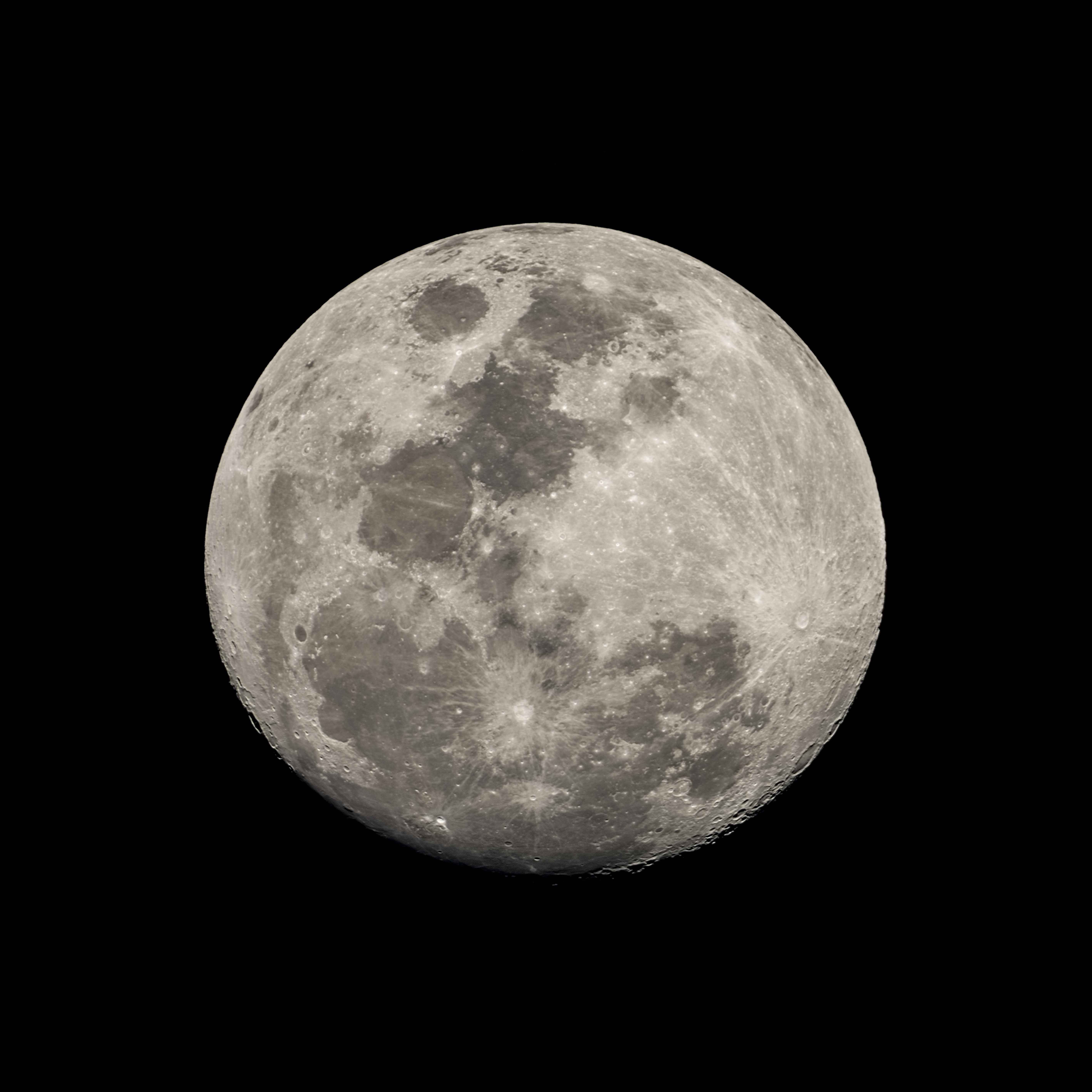
A detailed Moon close-up and a moonlit landscape are different exposure problems. The sunlit Moon is bright against a dark sky. Start by protecting its surface detail, then decide whether the foreground needs a separate treatment.
Choose the picture first
| Picture | Main priority | Practical approach |
|---|---|---|
| Lunar surface close-up | Sharp detail without clipping | Long focal length, careful focus and a relatively short exposure |
| Moon with a recognizable landmark | Position and relative size | Plan the viewpoint and Moon direction; measure exposure for both elements |
| Landscape lit by moonlight | Foreground brightness and movement | Stable support and a longer exposure; the Moon itself may clip or move |
| Phone photograph | Usable detail within the device’s limits | Stabilize, lower exposure if available and inspect the saved image rather than just the preview |
NASA’s Moon-photography guidance covers planning, stabilization and the difference between photographing the Moon itself and the surrounding scene. The settings below are starting experiments, not measurements from the retained images.
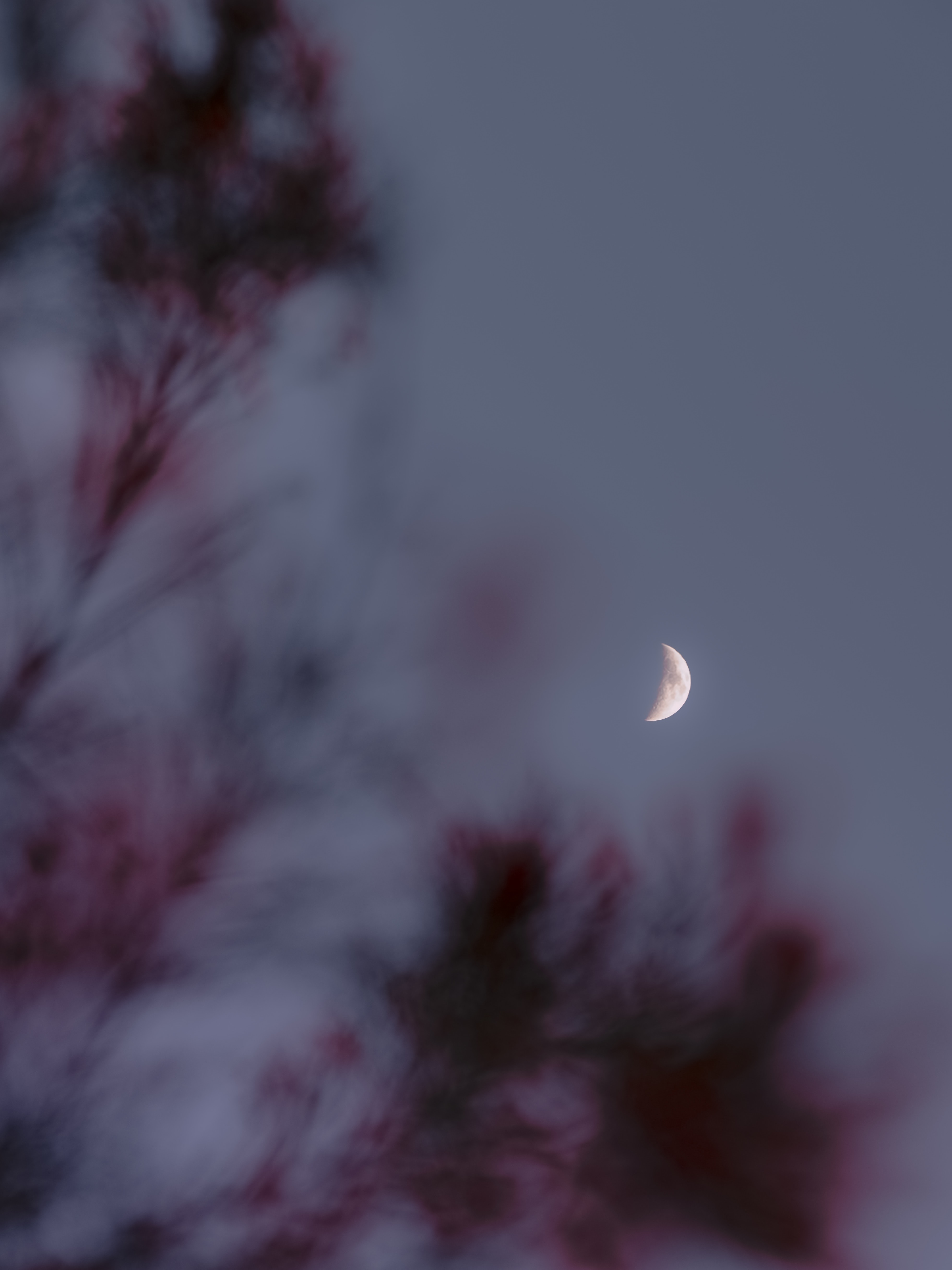
Expose for lunar detail
For a bright, unobscured Moon, try manual exposure around ISO 100, f/8 and 1/125–1/250 second, then inspect the result and adjust. Phase, haze, altitude, equipment and desired brightness all affect the appropriate exposure. Do not meter the mostly black sky and assume the camera’s average recommendation will preserve the Moon.
Use the histogram and a magnified view to check bright lunar areas. A gray disk with detail is more useful than a featureless white circle if surface texture is the aim. A crescent or eclipsed Moon needs a different approach; this starting range is not an eclipse recipe. Compare the underlying exposure reasoning with the Sunny 16 guide.
Focus and stabilize
Use a stable tripod or support, avoid touching the camera during capture and magnify live view to focus on a crisp lunar edge or feature. Infinity markings are a starting reference, not a guarantee. Try several frames and compare; atmospheric turbulence can vary from moment to moment even with unchanged settings.
Long focal lengths magnify vibration and apparent movement. If detail is smeared, test a faster shutter and inspect the support before adding more sharpening. Follow the lens/camera guidance for stabilization on a tripod because behavior differs by system.
Plan phase, direction and foreground geometry
The Moon’s phase and position change with date, time and location. Check a current planner and scout the actual viewpoint: buildings, trees and terrain can block a mathematically clear sightline. A lower Moon may fit a skyline composition but can also be softened by more atmosphere.
For a large Moon behind a landmark, increasing camera-to-landmark distance makes the landmark smaller relative to the Moon; a longer lens then frames the combination more tightly. Merely zooming from the same position enlarges both in the frame. Keep those two effects separate when planning.
Understand crop limits
A longer focal length projects a larger lunar image on the sensor. A crop removes surrounding pixels; it does not create new captured detail. For example, cropping a 6000 × 4000 image to 3000 × 2000 leaves one-quarter of its pixels. Whether the remaining detail is enough depends on the Moon’s original pixel size and the intended output.
Record focal length, sensor/crop mode, original dimensions and final crop in the Download the Moon field log (ZIP; open the HTML file inside). The existing images do not establish a verified focal-length or phase comparison.
When one exposure cannot hold both
At twilight, a foreground may balance the Moon more easily than it does after dark. If the scene still exceeds the usable range, choose whether to favor lunar detail, foreground detail or a silhouette. A blend of separate exposures is another creative option; disclose a composite when presenting it as an example.
For a landscape exposure, watch clouds, foliage and stars as well as the Moon. A longer exposure can change their appearance. See night street photography for city subjects and silhouette photography for deliberately dark foregrounds.
Choose a phase for detail or for the wider scene
A full Moon gives a familiar round shape, but the near-front illumination can make surface relief less obvious. Around other phases, shadows near the boundary between lunar day and night can make terrain easier to see. Choose the phase for the intended picture rather than treating full Moon as the only worthwhile night.
For a landscape, check when the Moon will be visible from the exact viewpoint and whether the surrounding scene will still have usable light. The published rise time does not guarantee a clear view above a hill or building. Atmospheric haze near the horizon can change color and reduce detail. A higher Moon may be clearer while no longer aligning with the foreground you planned.
What your lens or phone can realistically show
A wide lens usually records the Moon as a small part of a landscape. That is a valid composition, but cropping cannot supply the fine lunar detail of a much larger recorded image. A longer lens gives more pixels across the Moon when used on the same sensor, while making camera movement, focus errors and atmospheric disturbance more visible.
Start with equipment you already have and inspect a sample at the intended output size. A longer lens or telescope becomes a meaningful purchase when you can identify the missing detail and support it properly. A telescope introduces mounting, focus and tracking decisions beyond attaching a phone to an eyepiece.
On a phone, stabilize the device, turn off flash and lower exposure until the lunar surface is no longer a featureless white patch. Try the actual optical camera options before relying on heavy digital zoom. NASA’s lunar photography guide provides phone, camera and telescope approaches. Phone processing varies; check the saved result and describe substantial computational enhancement honestly if the image is presented as observational evidence.
A short capture sequence for a clear lunar disk
- Frame with enough margin that small adjustments do not cut off the Moon.
- Magnify the live view and refine focus on a visible edge or surface feature. Do not assume an infinity mark is perfectly calibrated.
- Make a test exposure for lunar detail and inspect the bright areas. A mostly dark overall histogram is expected when the disk occupies little of the frame.
- Take several frames with a stable release method. Compare actual detail: atmospheric conditions and vibration can change between exposures.
- Bracket exposure if needed, then inspect focus again before changing the composition or focal length.
- Save a wider contextual frame and notes about time, viewpoint, equipment and processing.
The “Looney 11” guideline—f/11 with shutter near the reciprocal of ISO for a bright full Moon—is an exposure estimate, not a guarantee. Phase, haze, altitude and your intended rendering can require a different result. A lunar eclipse is substantially different from an unobscured bright full Moon; do not apply the same exposure unchanged.
Process detail without inventing it
Use a modest crop, refine tonal separation and inspect the edge for sharpening halos. If the source is blurred, aggressive sharpening can create a crisp border without restoring crater detail. Compare changes at normal output size as well as a larger view.
Stacking can combine a set of consistently captured lunar frames, but alignment and selection matter. Keep the originals and identify a stack or landscape blend when relevant. A Moon enlarged or repositioned relative to a foreground is a creative composite, not a single recorded alignment.
Diagnose common failures
White disk: reduce exposure and inspect highlight detail. Soft edge: check focus, vibration, atmosphere and motion separately. Tiny Moon: use a longer focal length if available or compose around its small scale. Foreground black: change timing, lighting or creative intent rather than expecting a global shadow slider to solve every scene.